Three roles. Seventeen switches. One log.
Every account has a role that sets the defaults, seventeen permissions an administrator can switch per person, and a log of sign-ins, GovWin changes and stage moves for anyone allowed to read it.
Who can see, edit, move and approve
For controlling access without a spreadsheet of who-can-what.
Access in GovCon is a role plus permissions. The role — user, admin or super admin — sets the defaults. Seventeen individual permissions, switched on or off per person by an administrator, decide exactly who can see every opportunity, edit the capture work, move cards, approve the gate, manage users and read the log.
Administrators use it to invite people and set their access; capture leads use it to keep the gate decision with the right people; anyone with the logs permission can see what happened and when.
It replaces the shared login and the spreadsheet of who is allowed to do what.
Roles, permissions & audit, step by step.
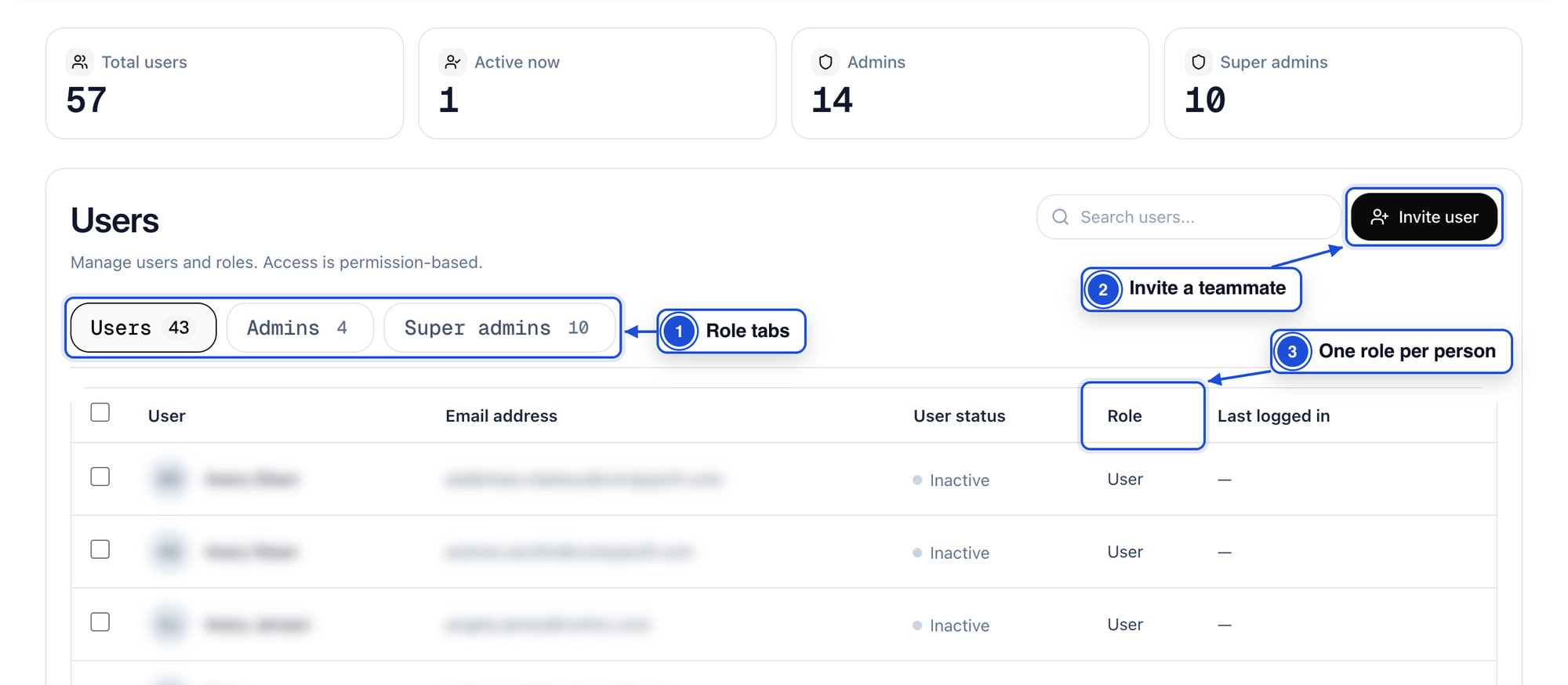
Step 1: Invite a teammate
User Management lists every account with its role, whether it is active now and when it last signed in, under Users, Admins and Super admins tabs. Invite user takes an e-mail address, a role and any permissions beyond the role’s defaults; the invitation e-mail carries a set-password link that expires in one hour.
Screenshot: User Management: counts of users, admins and super admins, role tabs, a search box, the Invite user button and the user table with names and e-mail addresses blurred.
Step 2: Set the seventeen switches
Permissions are grouped: Opportunities (see every opportunity), Capture document (edit; export the PDF and download the documents), Pipeline (move cards; approve the gate), Assignments (assign, unassign others, self-assign, see assignees), User management (seven switches, from seeing the list to managing permissions) and Logs (read the log). Change any of them later from the person’s page; they are told.
Step 3: Let the role set the defaults
A user starts with only self-assign and see-assignees switched on. An admin starts with everything on. A super admin always holds all seventeen, whatever the switches say.
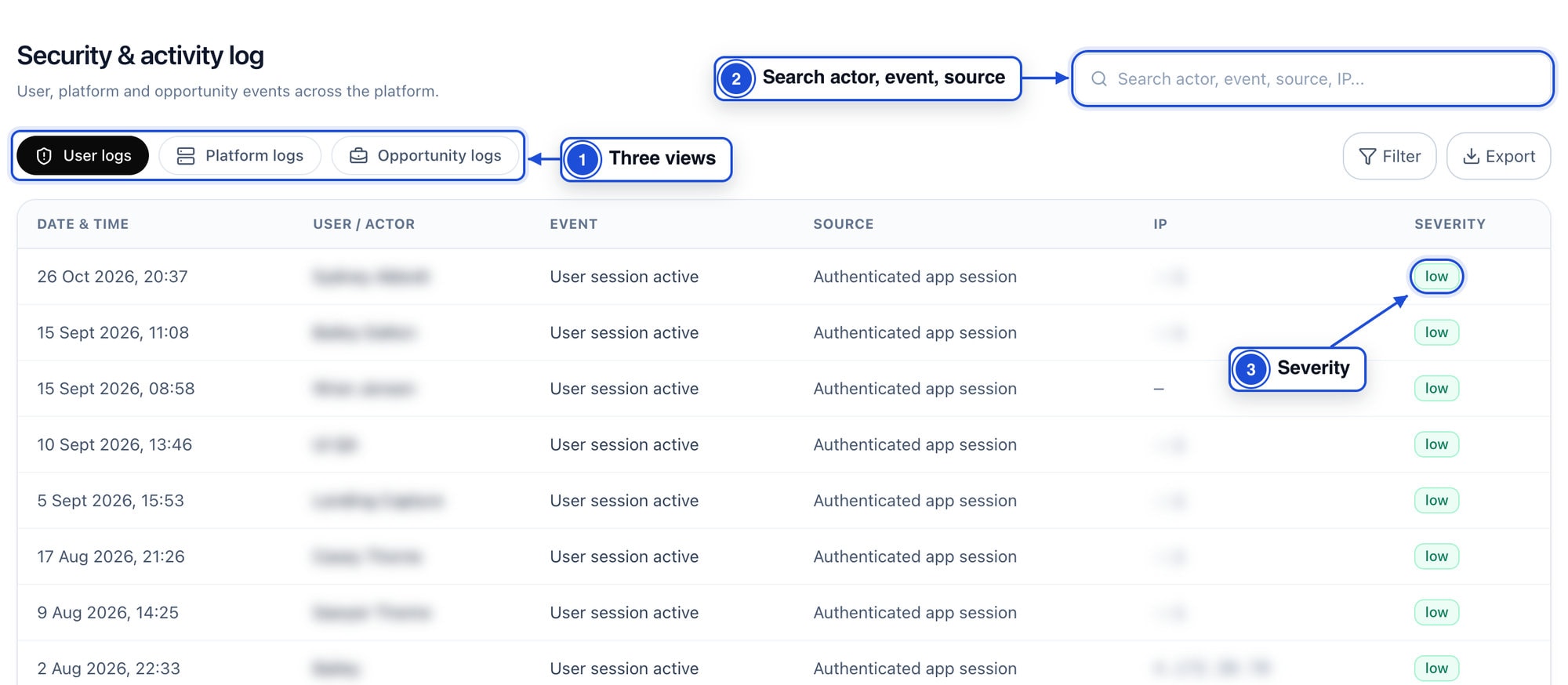
Step 4: Read the log
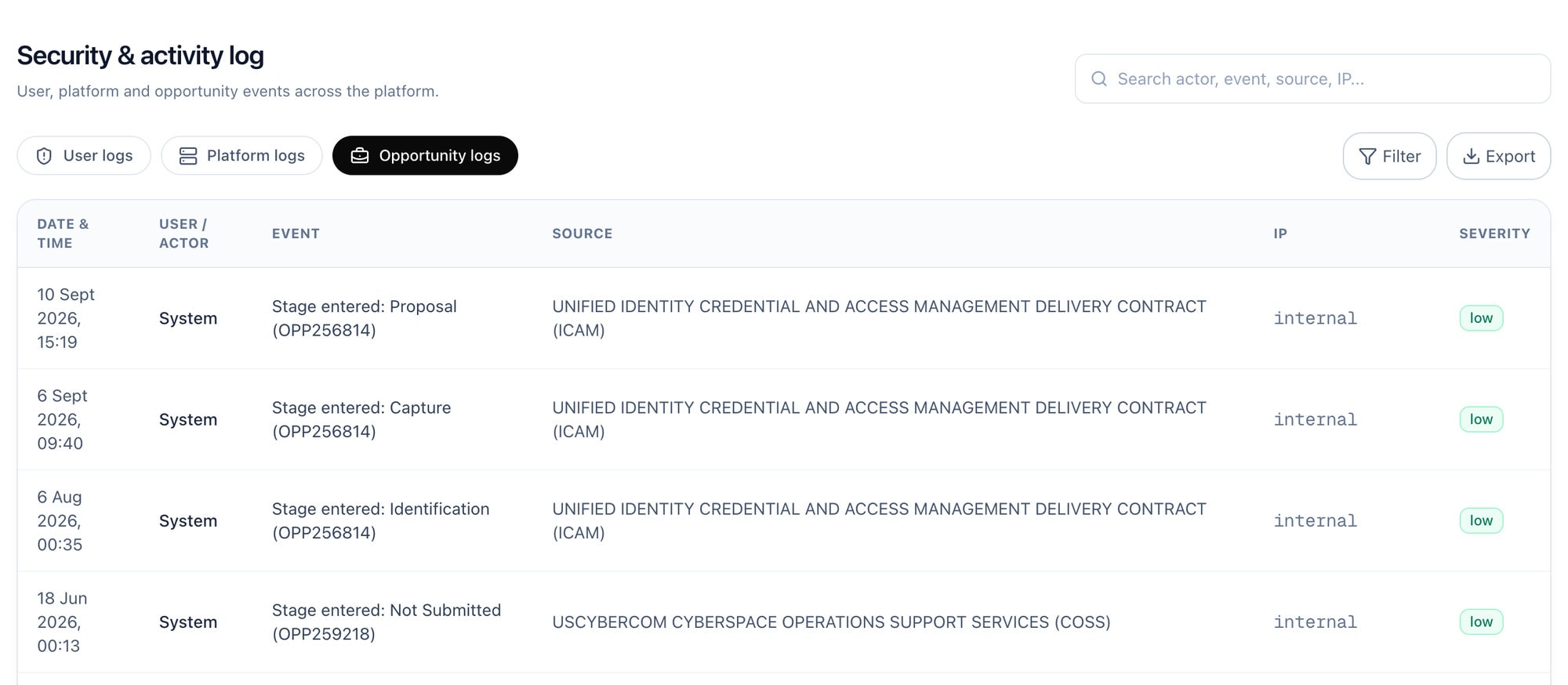
The Security & Activity Log has three views: User logs — who was signed in, from which address; Platform logs — what the GovWin check changed, with a severity from how many fields moved; Opportunity logs — stage entries and comments per pursuit. It needs the logs permission, and people who are not administrators see only their own rows.
Screenshot: The Security & Activity Log with User logs, Platform logs and Opportunity logs views, a search box, and a row with date, actor, event, source, IP and severity (IP blurred).
The specifics.
Roles: user, admin, super admin. Permissions: seventeen, stored per person.
Defaults: a user starts with self-assign and see-assignees; an admin starts with every permission on; a super admin always has all seventeen and cannot be restricted.
Without the view-all permission a person sees only the opportunities assigned to them, and the sidebar hides the pages they cannot open.
Gate approval needs the gate-review permission — admins and super admins have it by default.
Invitations carry a set-password link that expires in one hour.
A role or permission change raises a security notification for the person affected.
Removing a user is permanent, and an administrator cannot remove their own account.
The log is built from live records — session records, GovWin update notifications and the stage history — not from a separate audit table. Failed sign-ins and permission changes are not listed, and there is no export of the log yet.
Platform log severity: high when five or more fields changed in one check, medium at two or more, otherwise low.
Data behind Roles, permissions & audit
- Source 01
- Accounts, roles and permissions set by your administrators
- Source 02
- Session records, GovWin update notifications and the stage history
- Refresh
- Immediate. A permission change applies on the person’s next request; the log reads live records each time it is opened.
The words, explained.
- Role
- The account type — user, admin or super admin — that sets a person’s default permissions.
- Permission
- One of seventeen switches that allows a single action, such as moving a card or approving the gate. Set per person by an administrator.
- Super admin
- An account that always holds every permission. The switches do not apply to it.
- Severity
- The log’s label for how big a GovWin change was — how many fields moved in one check.
What people ask about Roles, permissions & audit.
Short answers here. The playbook has the long ones, screen by screen.
Still have a question? Book a working session
What it works with.
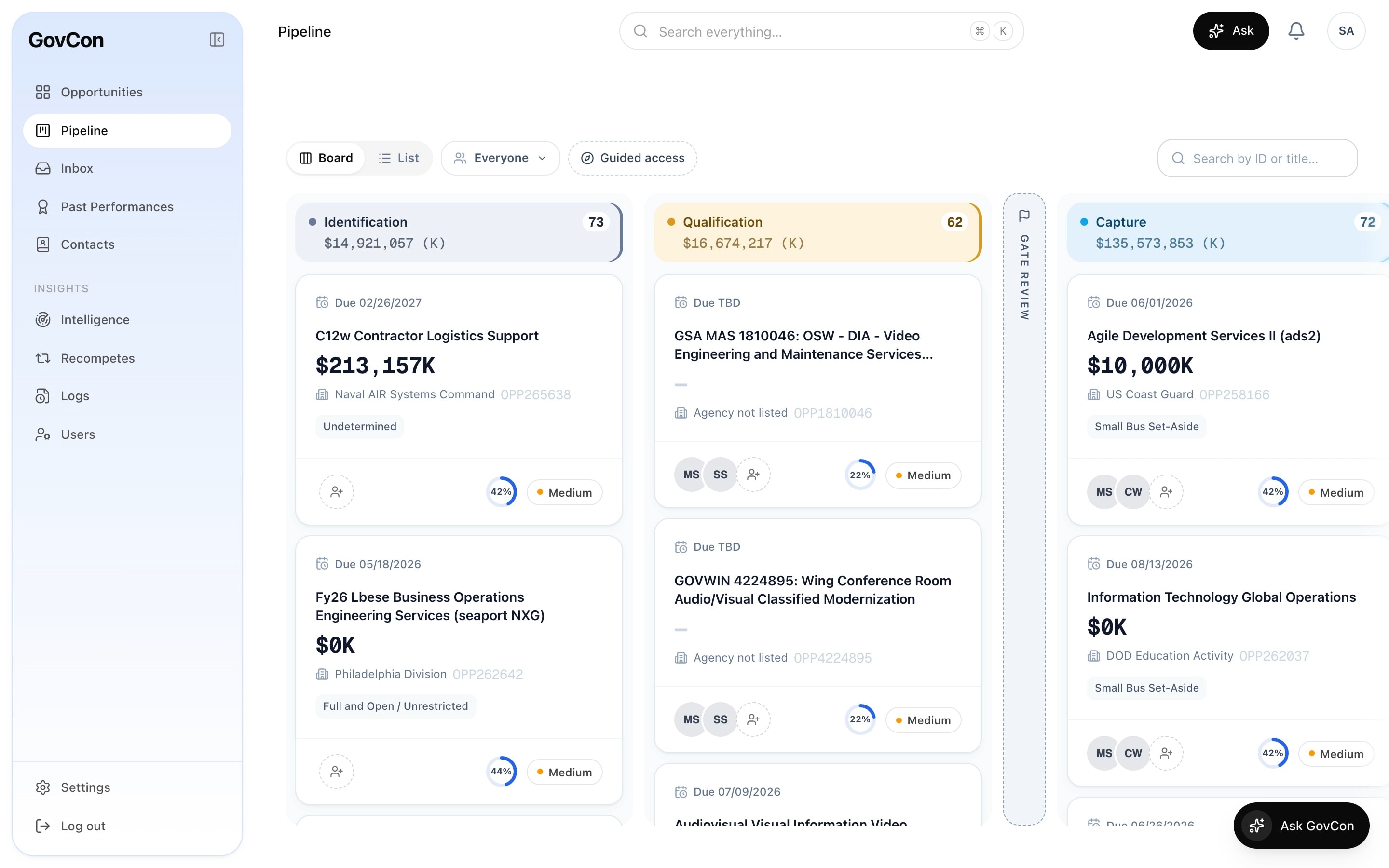
- Pipeline & Gate
 06
Pipeline & Gate
For seeing everything at once and stopping the wrong bids.
- Account security
 14
Account security
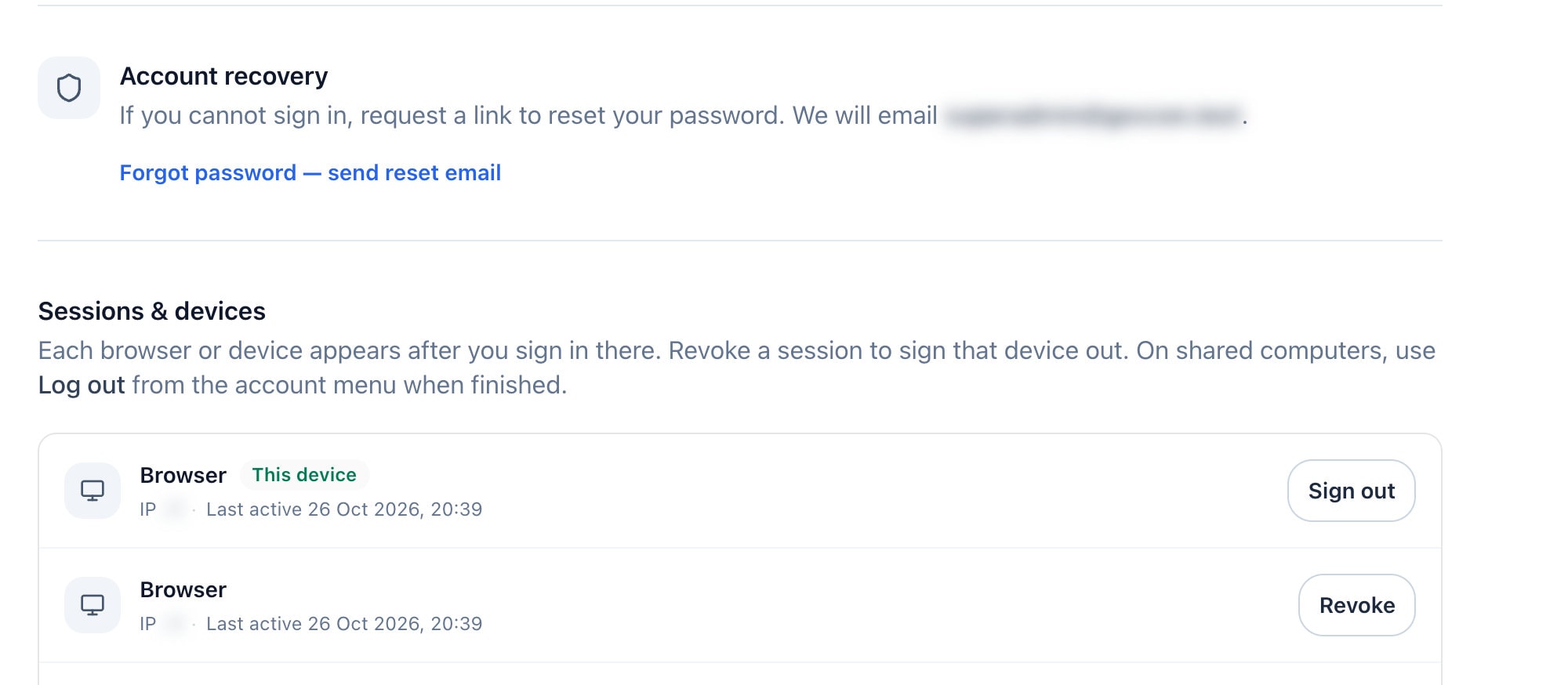
For knowing who is signed in as you.
- Automatic updates & notifications
 09
Automatic updates & notifications
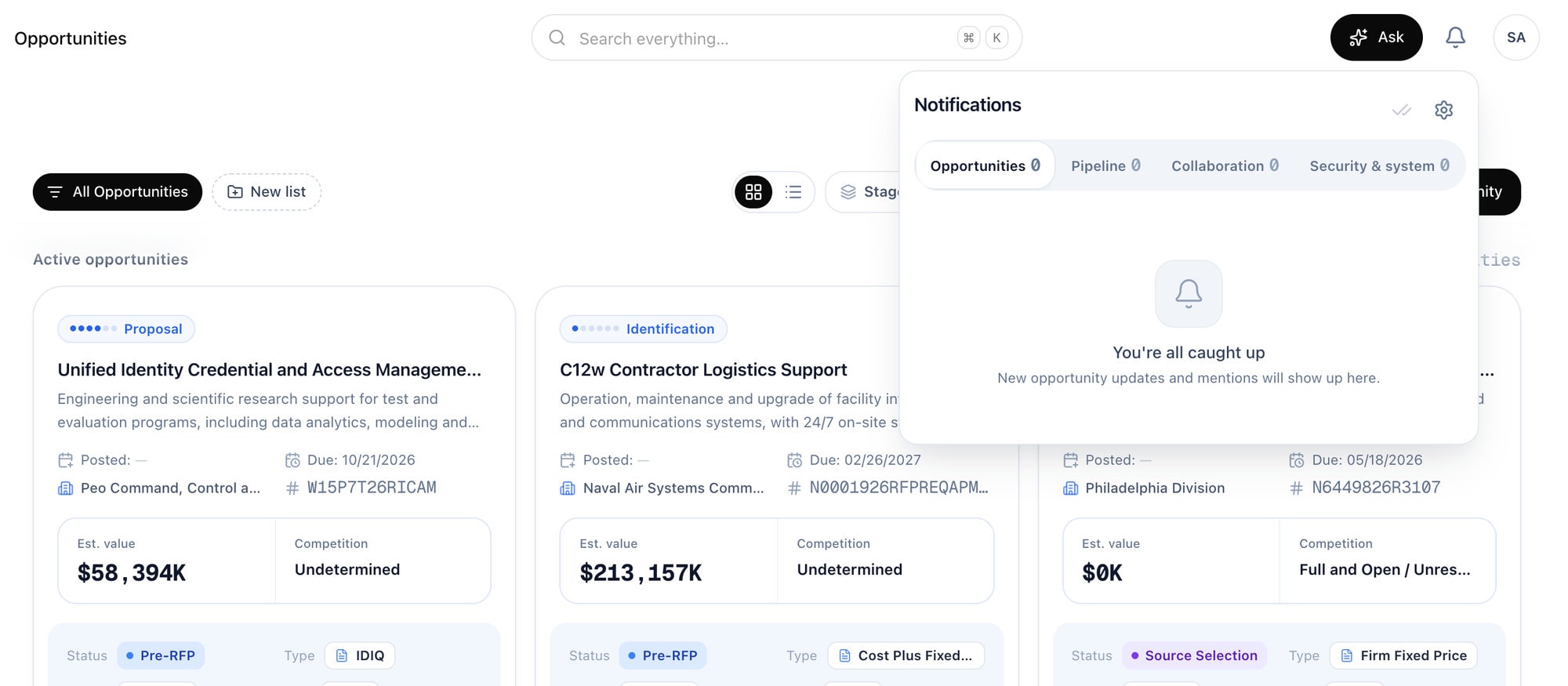
For keeping up with a pursuit that keeps moving.
Want it walked through on your own pursuit?
Bring one solicitation. In forty-five minutes we import it, pull the incumbent’s award history, and show you Roles, permissions & audit working on it. You keep the record either way.
- GovWin under your own licence
- USAspending needs no account
- Nothing you upload trains a model