Import it once. Everything about it stays attached.
Paste a GovWin ID and the opportunity arrives with its contacts, incumbents, documents and dates — then GovCon watches GovWin for changes so you don’t have to.
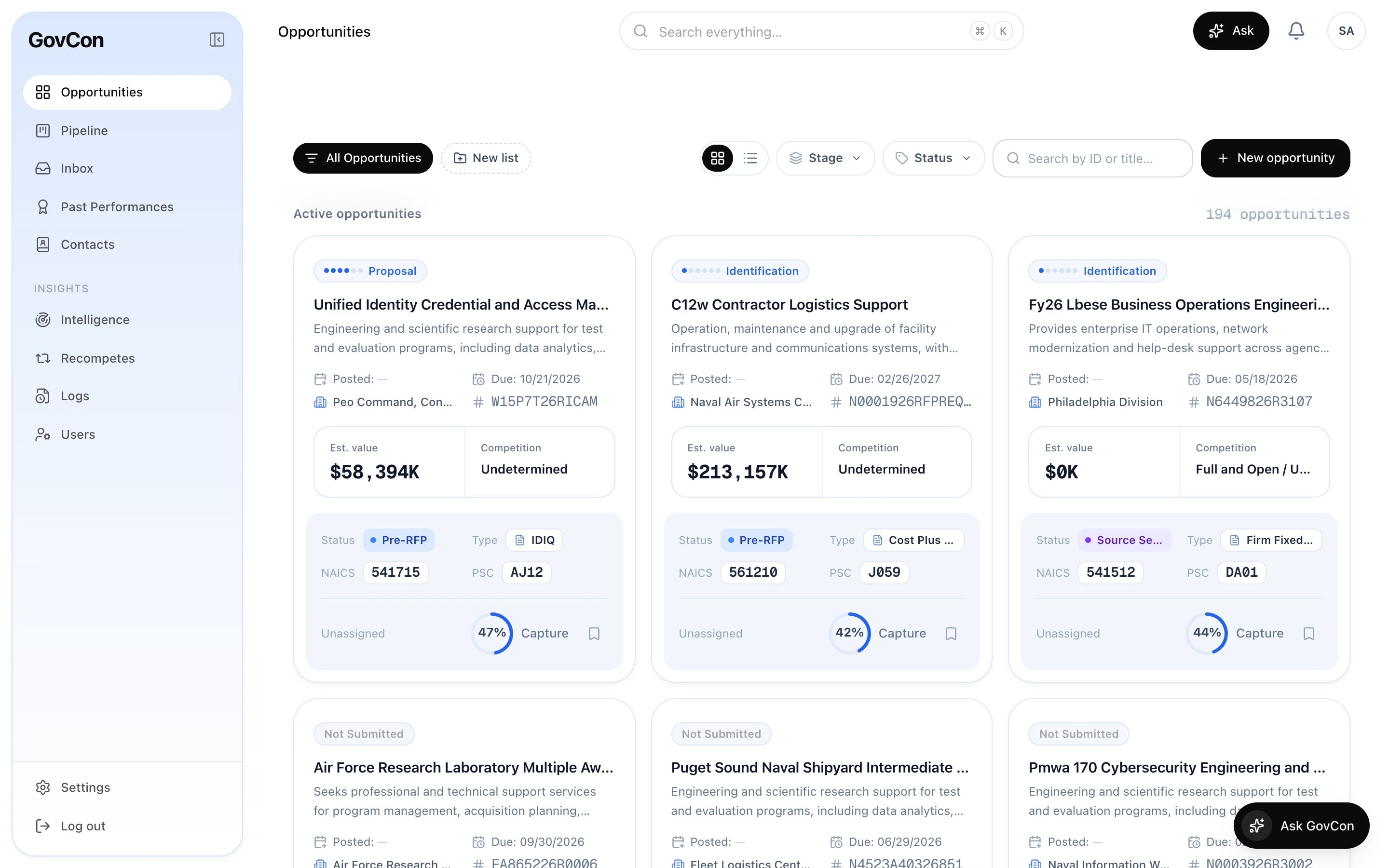
Every pursuit you follow, in one place
For keeping track of what you are chasing.
Opportunities is the list of every federal contract your team is chasing. Each one comes from GovWin IQ — the subscription database most federal contractors already use to find upcoming work — and lands in GovCon as a single record with GovWin’s linked data attached.
Business-development and capture staff use it every day to see what is in play, what stage each pursuit has reached, and how complete the capture work is. People without the view-all permission see only the pursuits assigned to them.
It replaces the spreadsheet of GovWin links and the folder of downloaded PDFs. The record is the folder.
Opportunities, step by step.
Step 1: Import by GovWin ID
Press New opportunity, paste one GovWin ID or a comma-separated list, and GovCon pulls each record from GovWin under your licence. The result tells you what was added, what you already had, and what failed — failed IDs stay in the box so you can retry.
Step 2: The snapshot fills itself
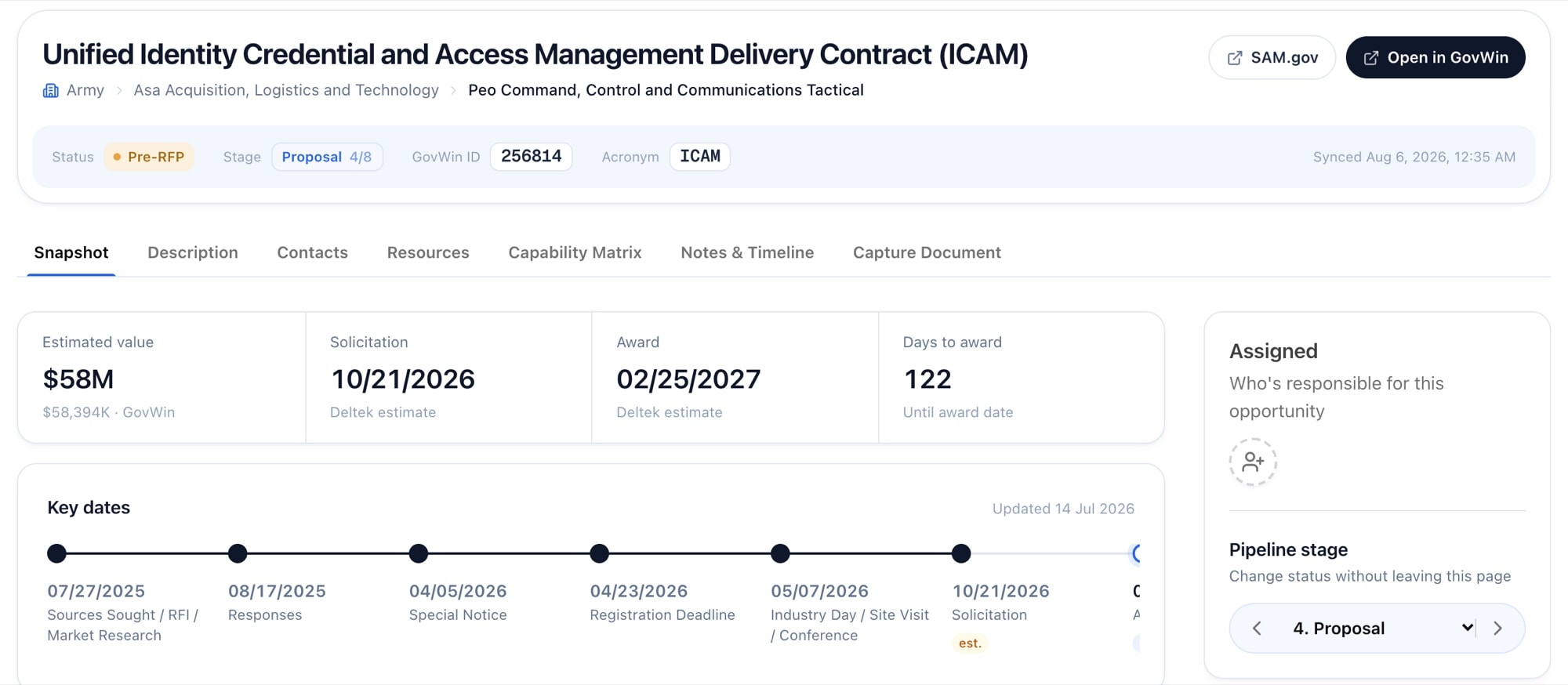
Status, estimated value, solicitation and award dates and days to RFP appear at the top. Key dates, award and value, NAICS codes, location, contract vehicles, related opportunities and a milestone timeline sit below, with links back to SAM.gov and GovWin. The pipeline stage can be changed without leaving the page.
Screenshot: Opportunity snapshot: status, value, solicitation and award dates, days to RFP, key dates, award and value, and a pipeline-stage card.
Step 3: Read the description as GovWin wrote it
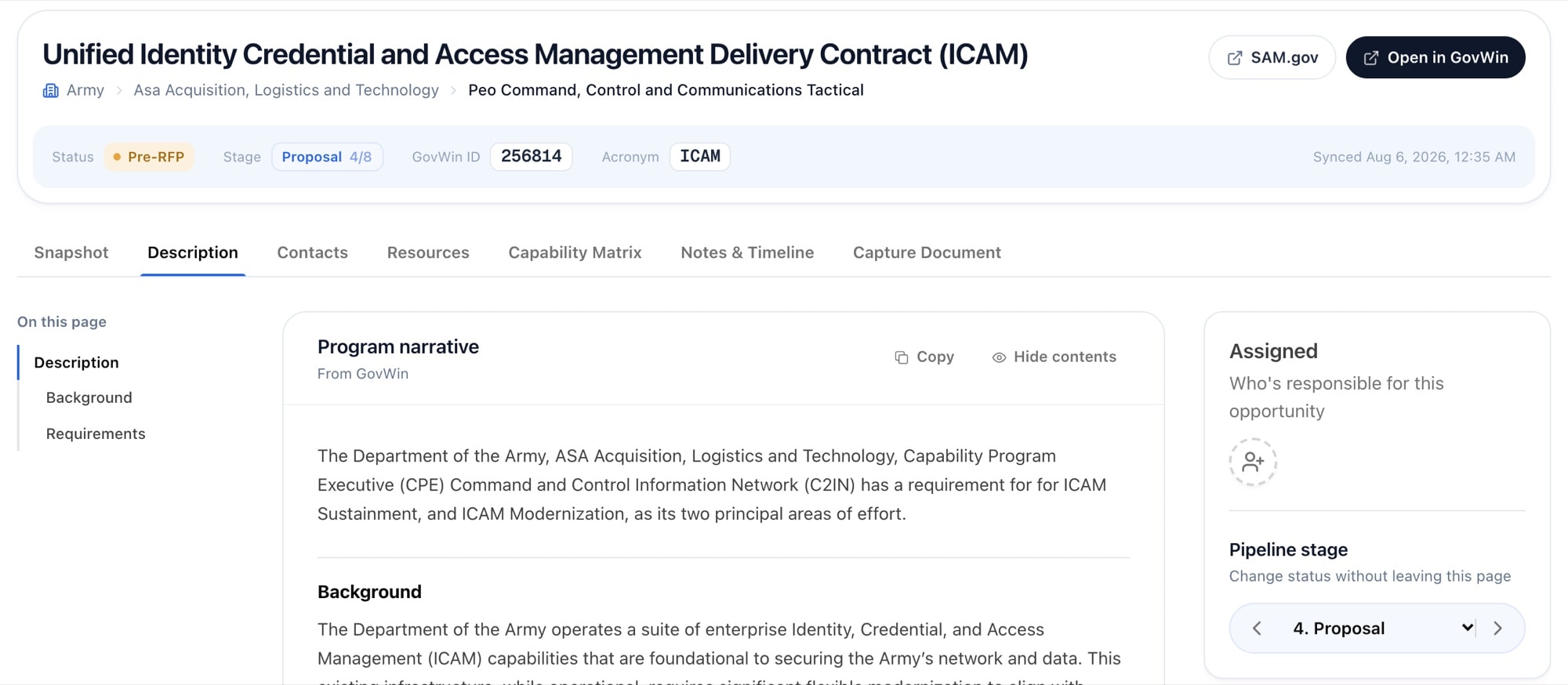
The Description tab shows GovWin’s programme narrative with a table of contents built from its headings and a Copy button for the plain text.
Screenshot: Description tab with an on-this-page table of contents beside GovWin’s programme narrative.
Step 4: Documents stay with the record
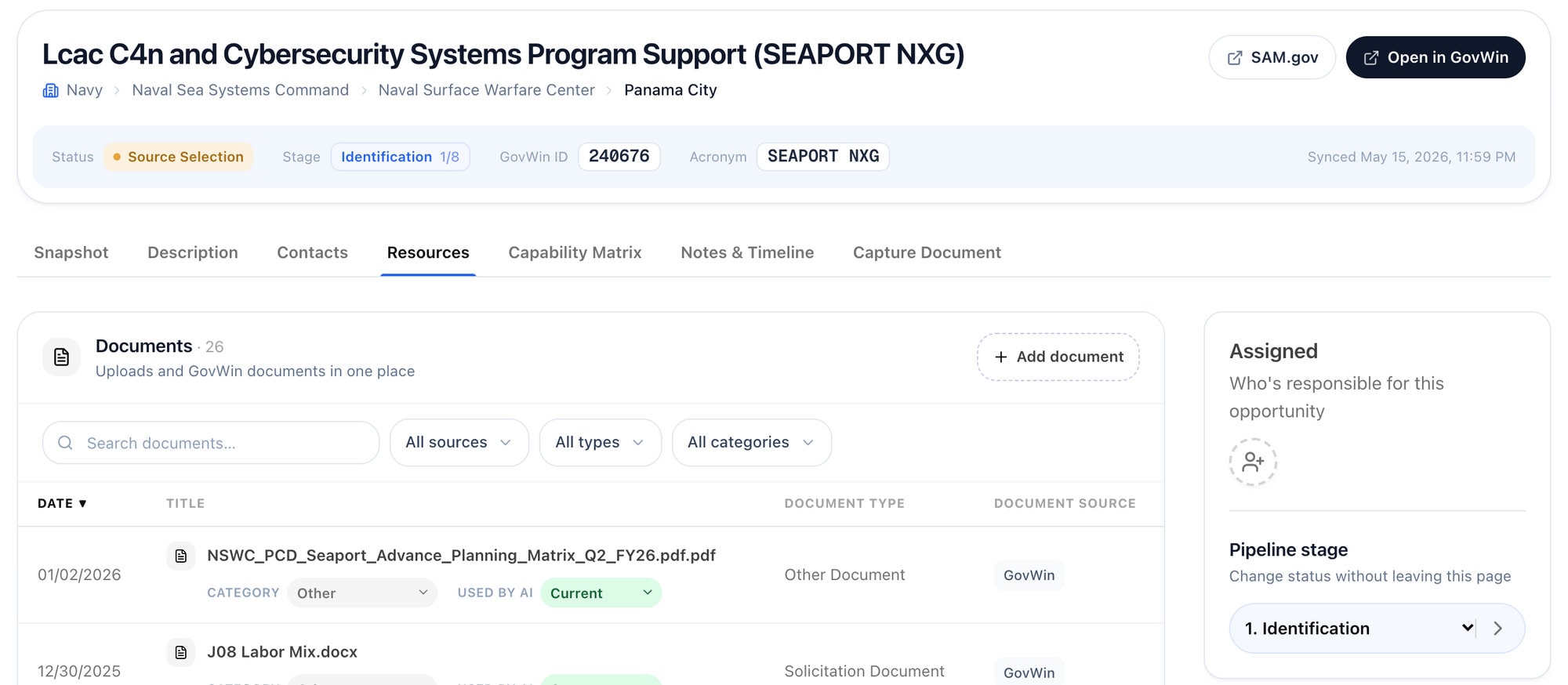
The Resources tab lists every stored document with its publication date and type. GovCon downloads the solicitation files GovWin references — unpacking ZIP archives automatically — and you can add your own. SAM.gov notices, contracts, milestones and related articles from GovWin sit underneath, and fields that changed since the last check carry an Updated badge.
Screenshot: Resources tab listing stored documents by publication date, with an Add document button.
Step 5: Work the list
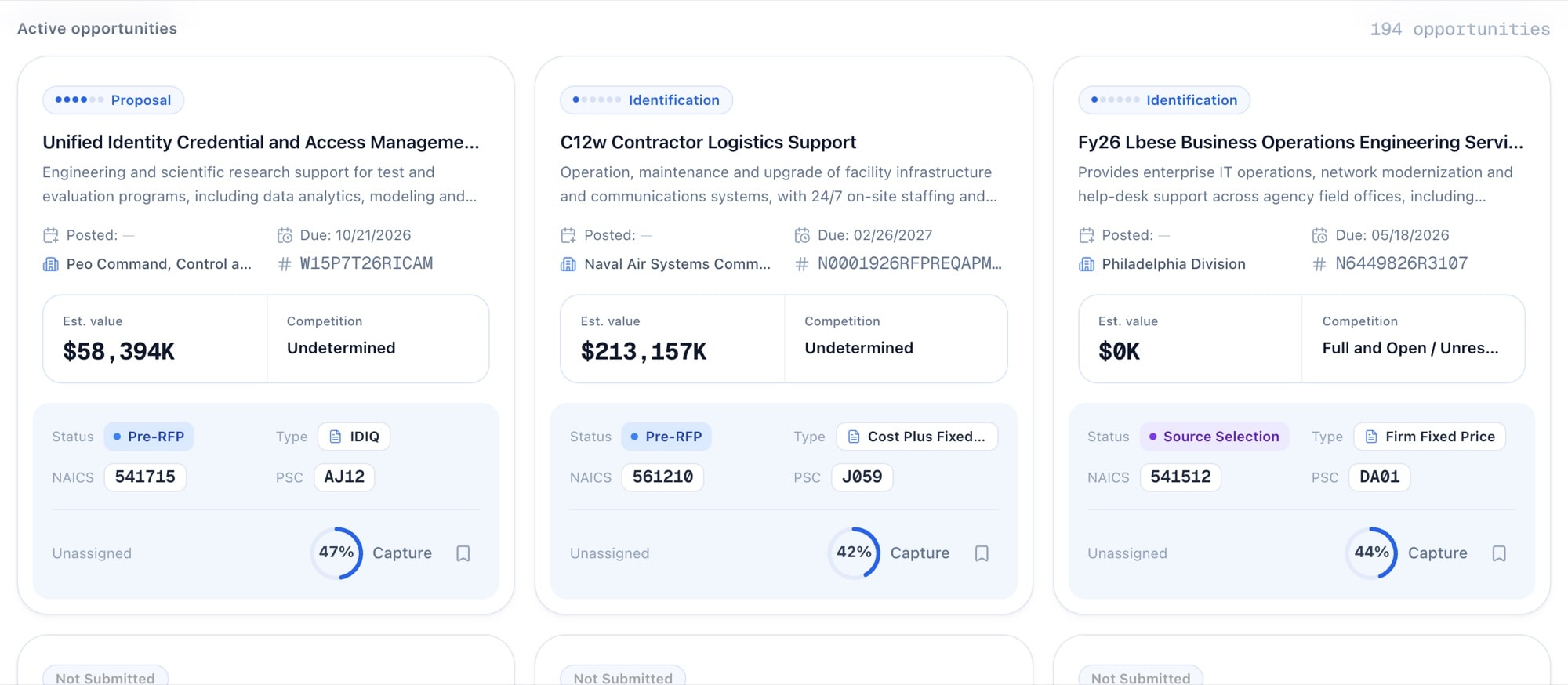
Search by ID or title, filter by pipeline stage and GovWin status, and save pursuits to your own colour-coded lists. Each card shows the stage, the buying organisation, the solicitation date and number, the competition type, the estimated value and how complete the capture record is.
Screenshot: Opportunities list: cards with stage, buying organisation, solicitation date and number, value, and a capture-completion bar.
Step 6: GovCon watches GovWin for you
GovCon re-reads each stored opportunity, re-downloads documents if the file list changed, and marks changed fields. A notification tells you which opportunities moved and what changed.
The specifics.
Import one GovWin ID or a comma-separated batch; results show Added, Already in your list, and Failed.
Fourteen linked datasets are fetched with every opportunity: contacts, companies, contracts, government entity, verticals, assessment, SAM.gov notices, milestones, marked-by users, related articles, contract vehicles, related documents, places of performance, and sourced-from.
When GovWin is re-checked, a changed opportunity produces one notification listing the fields that changed.
Solicitation documents referenced by GovWin are downloaded and stored — up to 50 files per opportunity, 50 MB each, with ZIP archives unpacked automatically. You can upload your own too.
Word, Excel and PowerPoint files preview in the browser; PDFs open in-app.
GovWin’s people for the opportunity appear on a Contacts tab, with the primary contact starred and contracting and programme roles told apart.
Filter by the six active pipeline stages and by GovWin status: Forecast Pre-RFP, Pre-RFP, Source Selection, Umbrella Program, or Other.
Lists are private to you: name one, pick one of eight colours, and add pursuits from any card.
Data behind Opportunities
- Source 01
- GovWin IQ, read under your own licence
- Source 02
- SAM.gov notices and links as carried by GovWin
- Source 03
- HigherGov, for solicitation documents once you link a pursuit to it
- Refresh
- When GovCon re-reads an opportunity from GovWin, changed fields are badged on the record and you are notified.
The words, explained.
- GovWin IQ
- The subscription database most federal contractors use to find upcoming contracts. GovCon plugs into your licence.
- RFP
- Request for proposals — the government’s formal invitation to bid. “Days to RFP” counts down to the expected solicitation date.
- SAM.gov
- The government’s own site for posting contract notices. GovWin carries the notices; GovCon links to them.
- NAICS
- North American Industry Classification System — the six-digit code that says what kind of work a contract is for. The market GovCon covers is defined by six of them.
What people ask about Opportunities.
Short answers here. The playbook has the long ones, screen by screen.
Still have a question? Book a working session
What it works with.
- Recompete Radar
 02
Recompete Radar
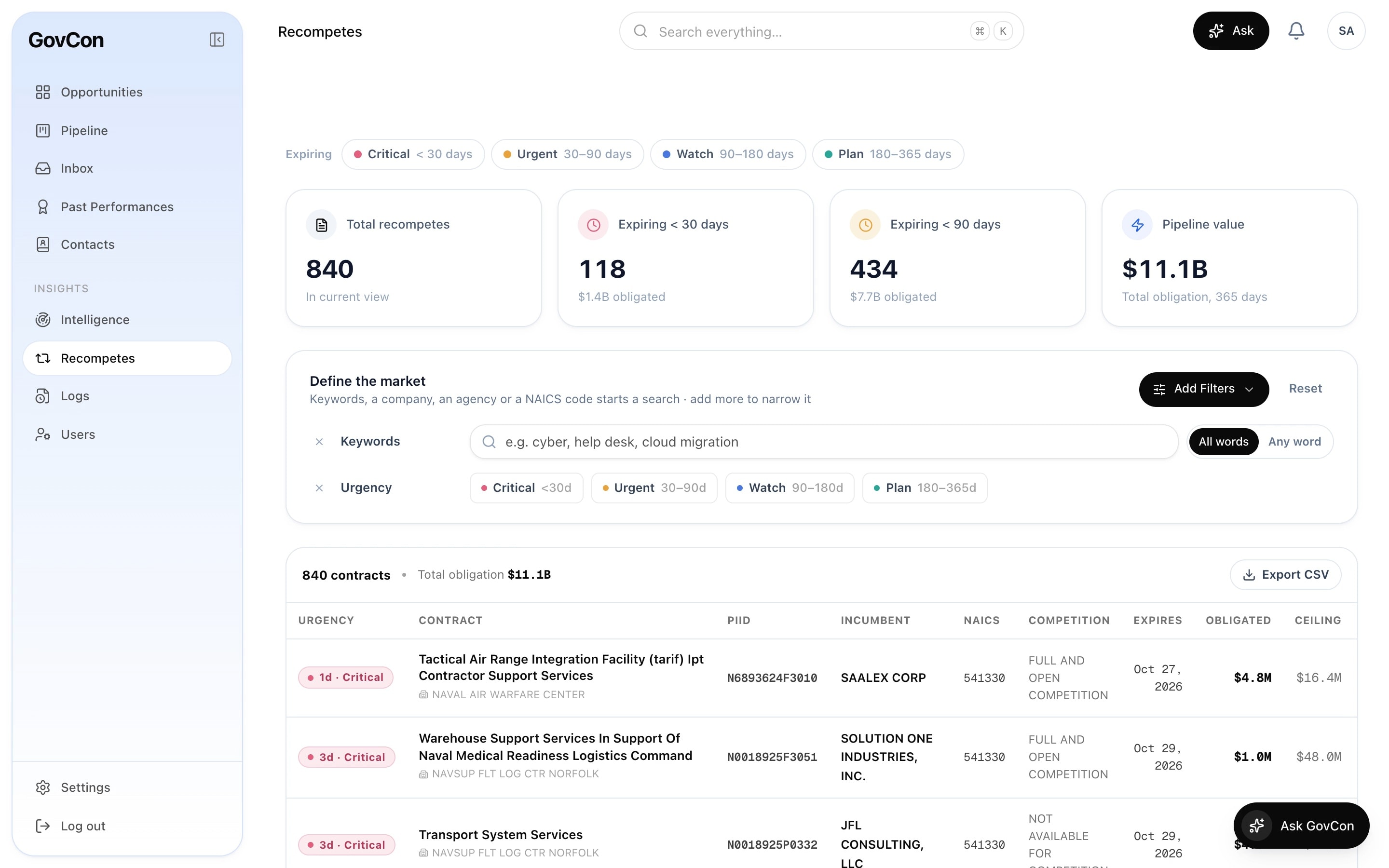
For finding work that is about to come back on the market.
- Capture Document
 05
Capture Document
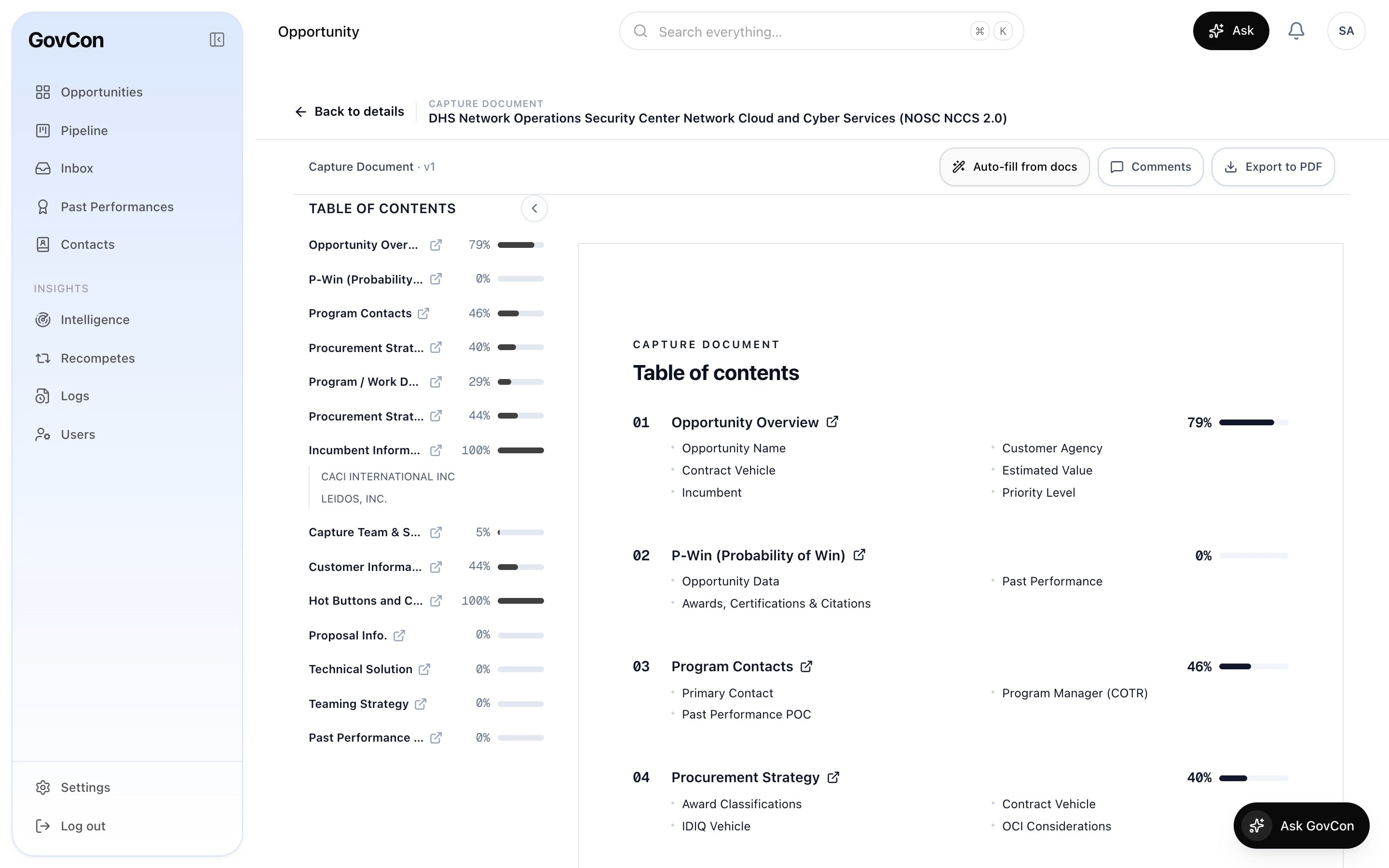
For turning “we should bid” into a plan.
- Pipeline & Gate
 06
Pipeline & Gate
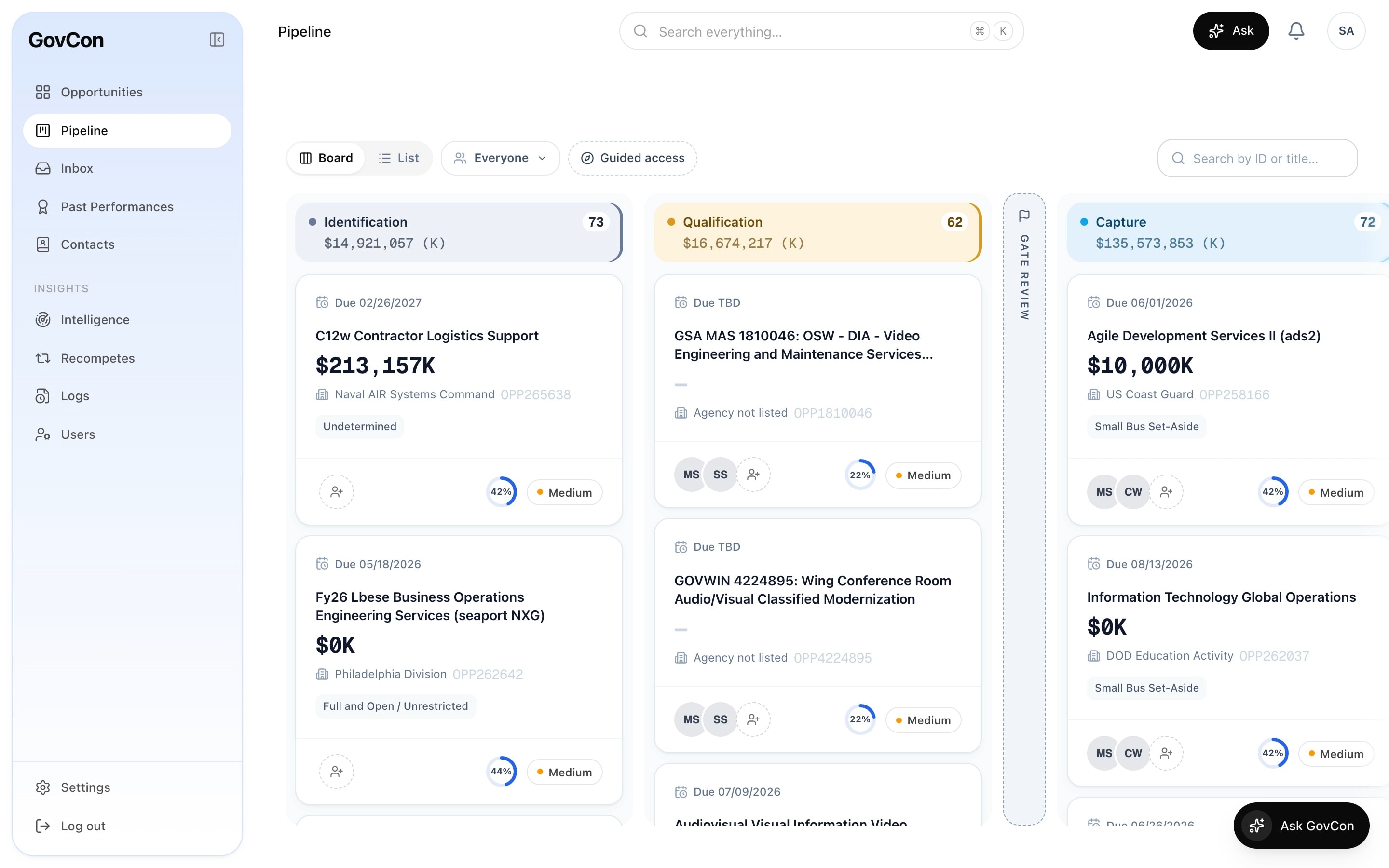
For seeing everything at once and stopping the wrong bids.
Want it walked through on your own pursuit?
Bring one solicitation. In forty-five minutes we import it, pull the incumbent’s award history, and show you Opportunities working on it. You keep the record either way.
- GovWin under your own licence
- USAspending needs no account
- Nothing you upload trains a model