Skip to content

Know if you can win it before you spend a dollar chasing it.

GovCon puts the opportunity, the company that holds it today, and a line-by-line score of your fit on one page — before your team commits bid and proposal money.

Book a working session
  • GovWin under your own licence
  • USAspending needs no account
  • Nothing you upload trains a model
federal contracts in view
24,002
obligated across them
$192.8B
recompetes in the next 12 months
1,347
pipeline stages and a gate
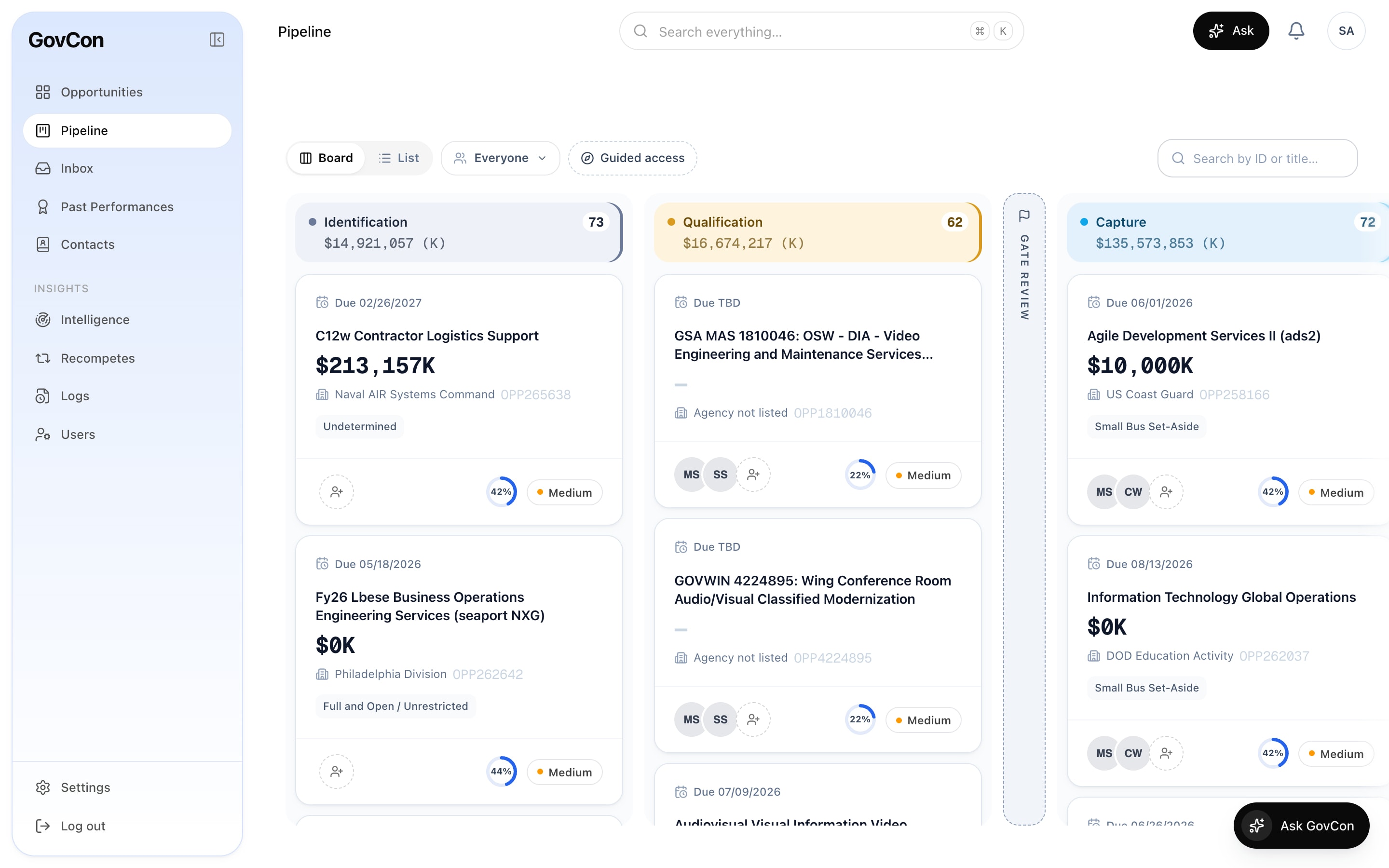
8 + 1

Workspace snapshot · 2 September 2026

Built on the data you already buy

  • GovWin IQ
  • USAspending.gov
  • HigherGov
  • Wiza
  • Pipedrive
  • Microsoft Azure
  • Claude
  • GovCon — one record per pursuit

GovWin runs under your own licence. USAspending is the public federal record. GovCon reads them — it never writes back.
The problem

Most teams decide to bid on a feeling.

Today
  • The incumbent is a guess.
  • Fit is a feeling.
  • The plan lives in three places.
  • There is no gate.
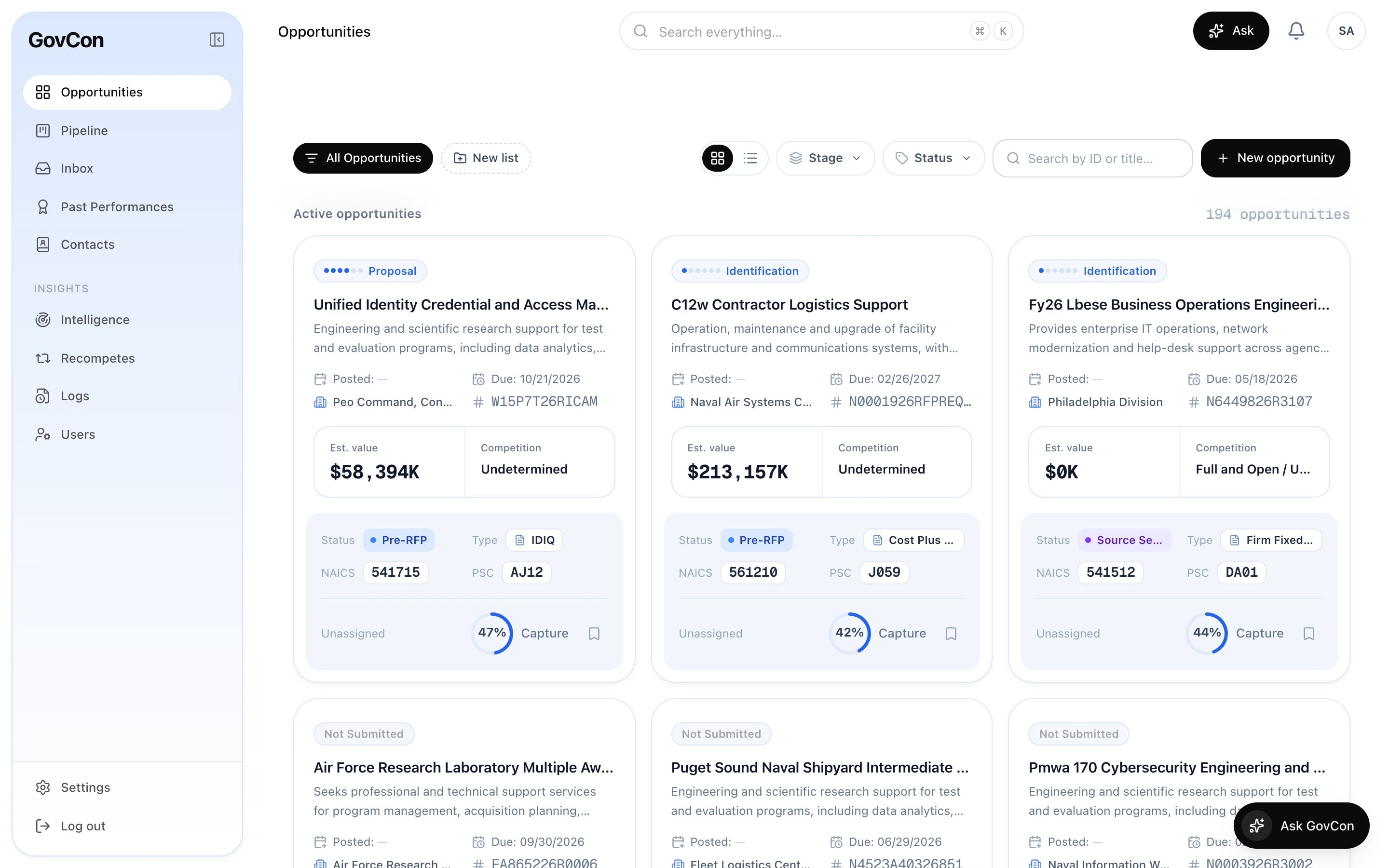
GovCon opportunity workspace — the record for one federal pursuitWith GovCon
  • Fit1–5 per requirement
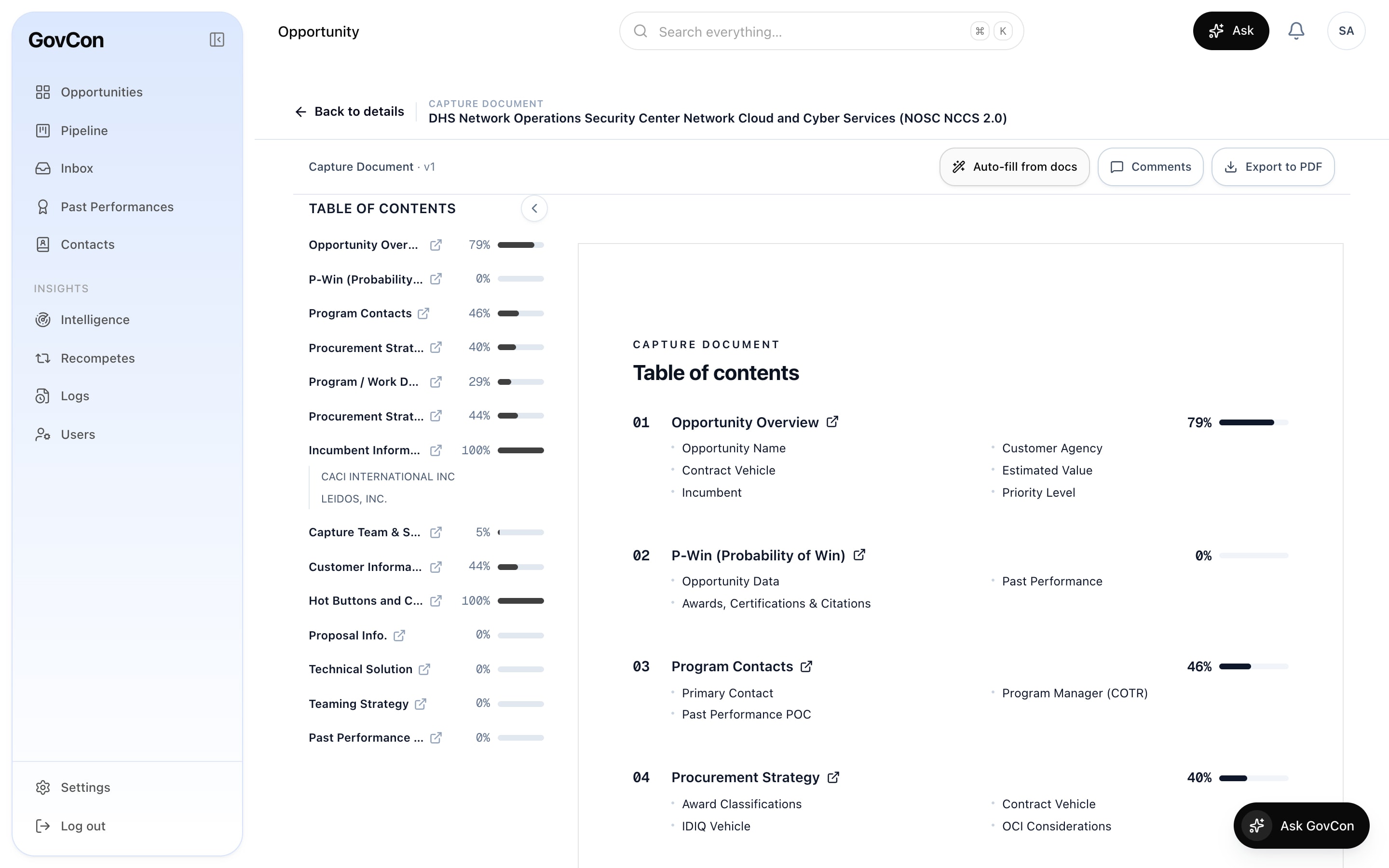
  • PlanOne document, 13 sections
  • GateReview by a named role

Drag to compare

Today

  • The incumbent is a guess.
  • Fit is a feeling.
  • The plan lives in three places.
  • There is no gate.

With GovCon

  • Fit · 1–5 per requirement
  • Plan · One document, 13 sections
  • Gate · Review by a named role
How it works

One record, from first signal to bid decision.

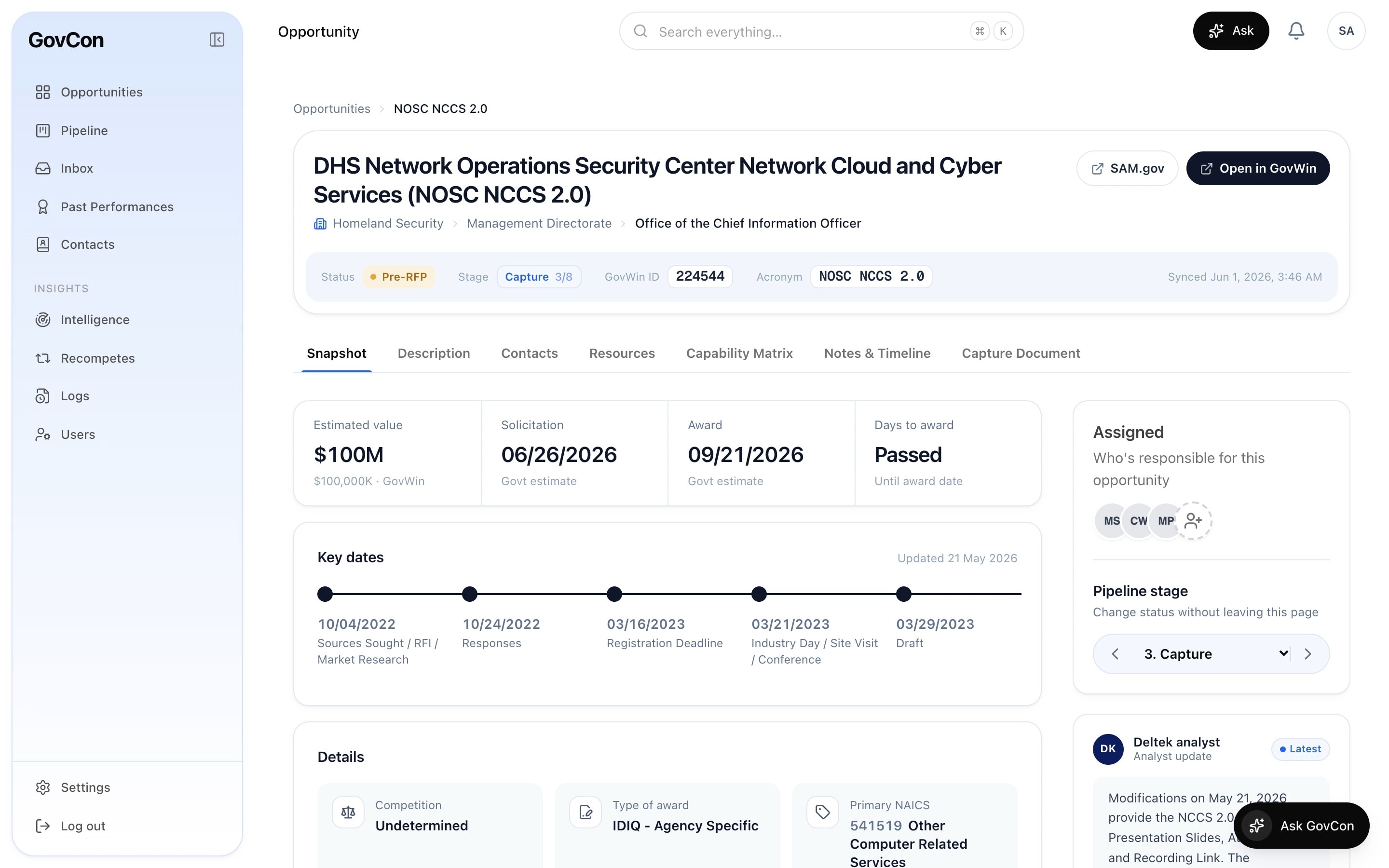
Import the pursuit. Get the whole record.

Import any GovWin opportunity by ID. Fourteen linked datasets arrive with it and stay attached.

The platform

Eight modules. One live record.

Everything a capture team needs to decide, plan and win — on the same record, from first signal to bid decision.

01 · Opportunities

Every pursuit you follow, in one place

For keeping track of what you are chasing.

  • Import any GovWin opportunity by ID — one, or a comma-separated list at once.
  • Fourteen linked datasets arrive with it and stay attached: contacts, incumbents, contract vehicles, milestones, SAM notices, places of performance, related documents, and more.
See how Opportunities works
The assistant

Answers that cite the pursuit’s own documents

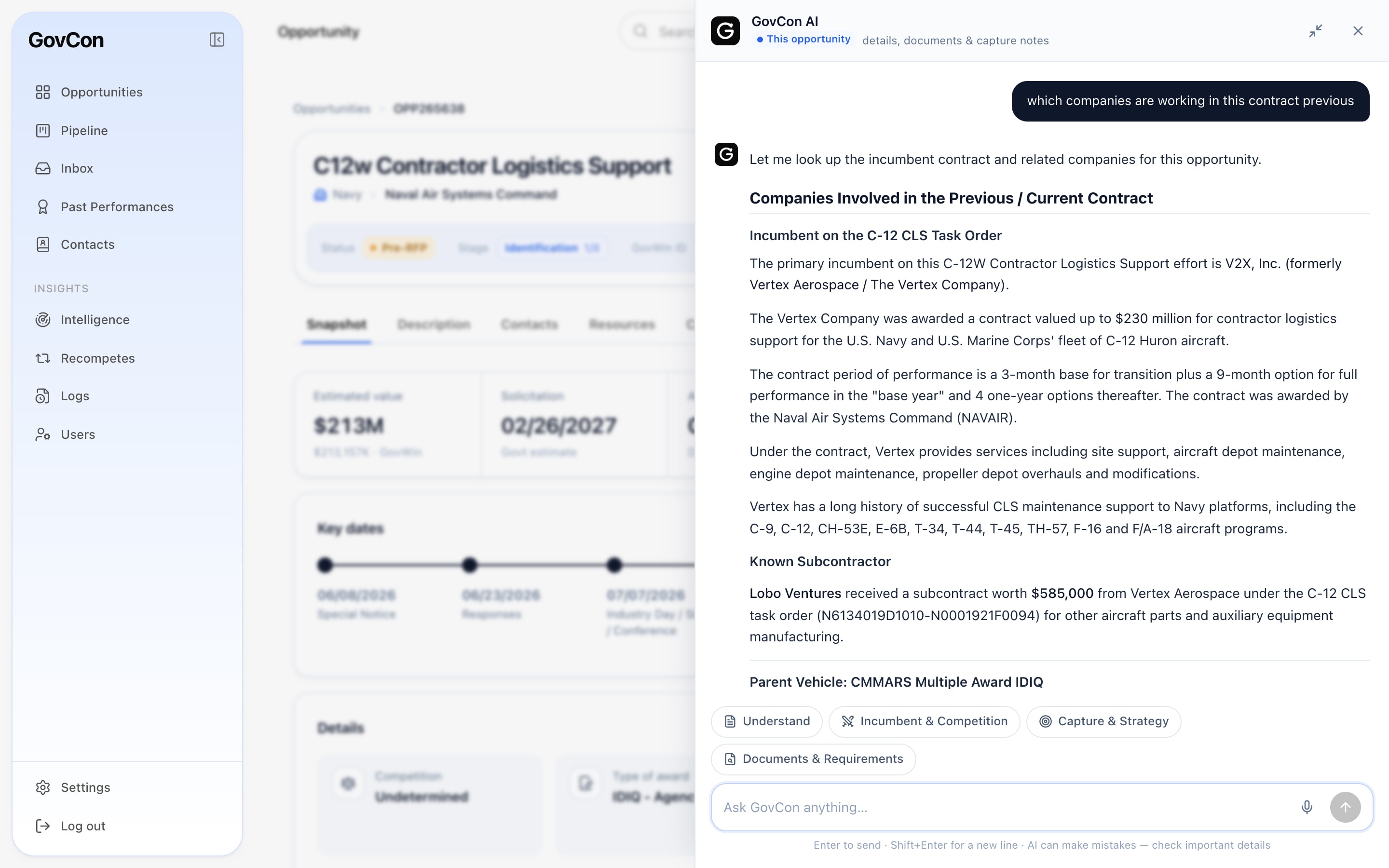
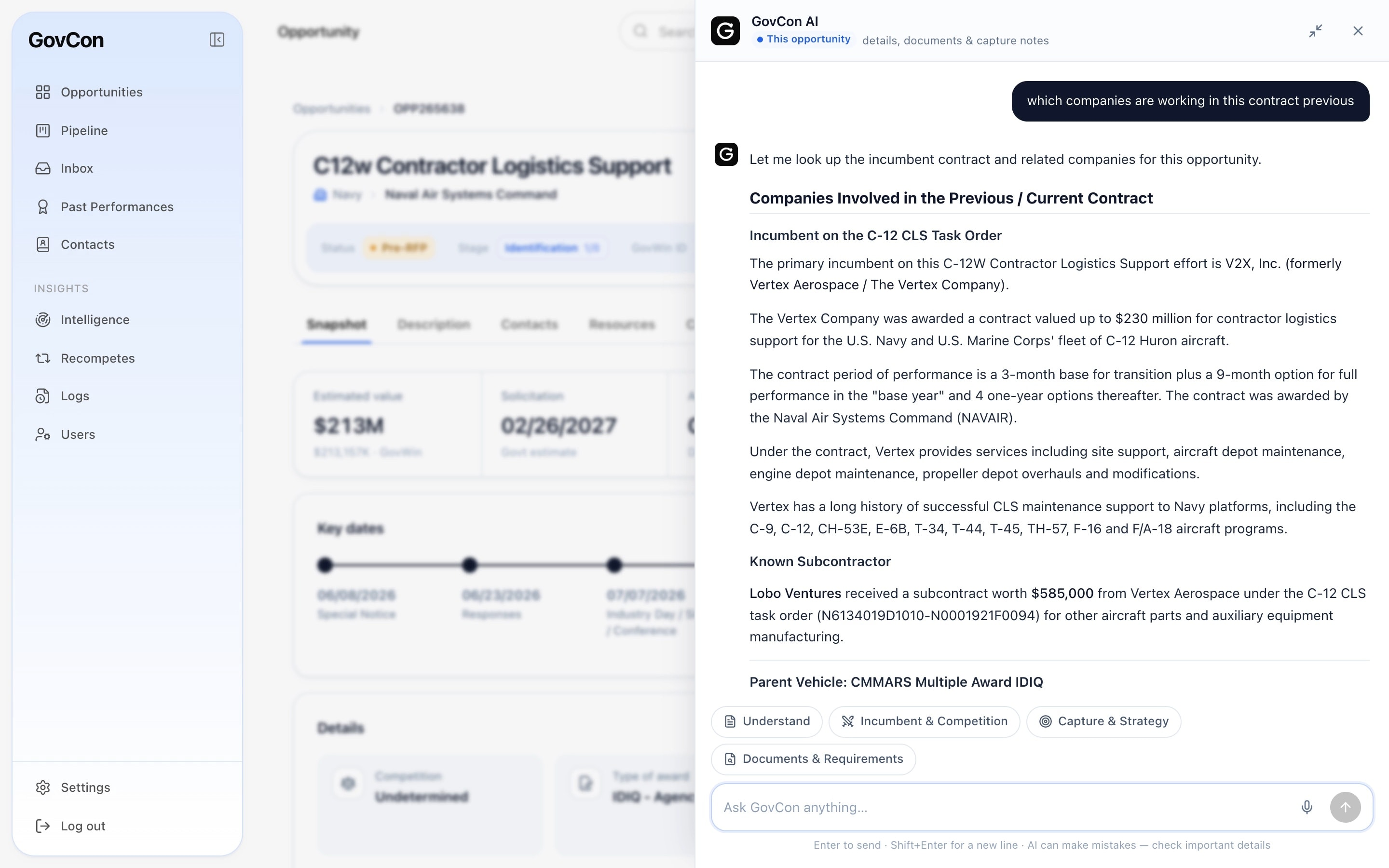
For getting a straight answer without reading two hundred pages.

Structures an opportunity analysis under seven headings

  1. Summary
  2. Incumbent
  3. Competitive landscape
  4. Vehicle and set-aside
  5. Timing risk
  6. Win factors
  7. Next steps
MCP connectorNew

Bring your GovCon pipeline into Claude and ChatGPT.

Ask about opportunities, documents, capture records and spending in plain words — with the same access you have in GovCon, read-only.

8 read-only tools

  • Filters by assignee, stage, GovWin status, due-date window and text — up to 400 rows.
  • Builds an .xlsx straight from the database and returns a download link valid for 1 hour.
Diagram: Claude, ChatGPT and other MCP-capable assistants connect to GovCon’s MCP connector, signed in with OAuth. It reads the opportunities you can see in GovCon — opportunities, documents, capture records, capability matrices and spending data — and answers read-only. Every request is logged.
  • Read-only: It can’t change, move, assign or delete anything.
  • Your access, nothing more: It reads only the opportunities you can see in GovCon.
  • Logged · admin off-switch: Every request is logged, and an admin can switch off access at any time.
Book a working session

Access is granted per user by an admin. What it reads is sent to your assistant’s AI service.

And the rest

Everything else that comes with the record.

  • Past Performance Library

    The projects the matrix scores against — client, role, dates, value, task areas.

    Past Performance Library
  • Notes & Timeline

    Every note, file, and stage move on one feed, with days spent in each stage.
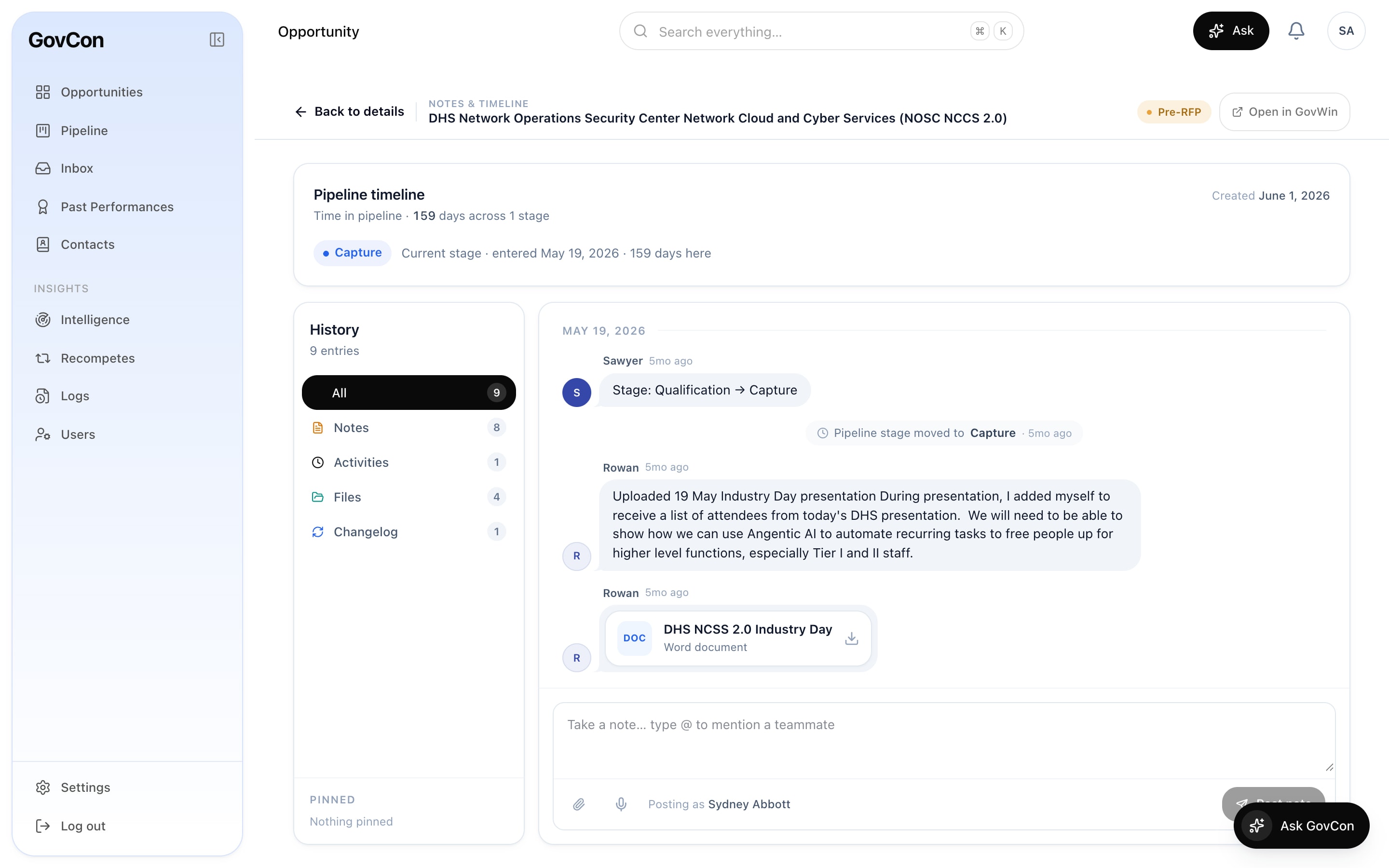
    Notes & Timeline: one pursuit's feed — a stage move, a note and a file
    Notes & Timeline
  • Notifications

    Six kinds — assignments, mentions, stage moves, GovWin changes, activity, security — in-app and by email.

    Notifications
  • Company & contract pages

    A page for every prime and every contract, with subcontractors and spending by year.
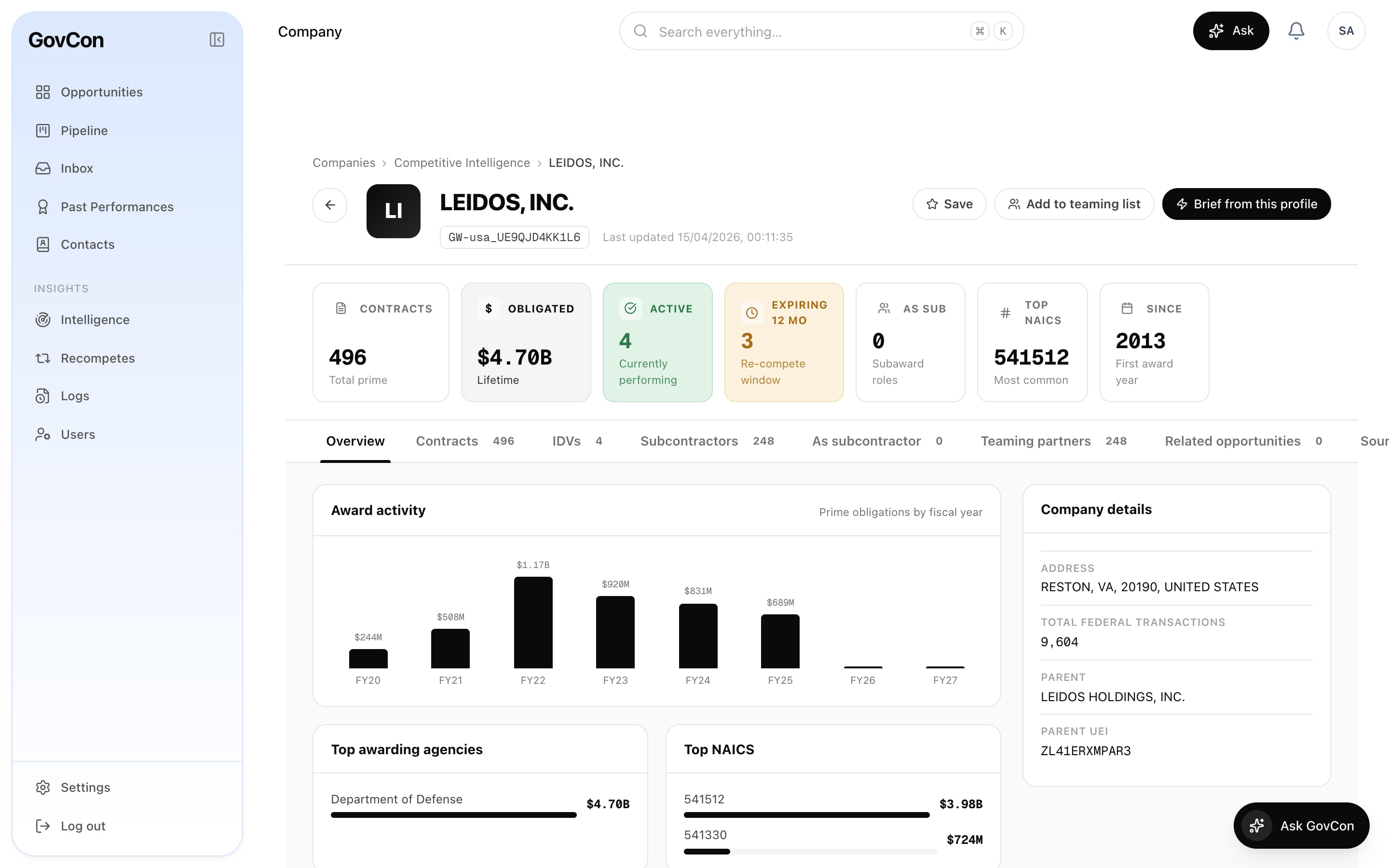
    A company page: contract count, obligations and award activity by fiscal year
    Company & contract pages
  • Documents

    Solicitation files from GovWin and HigherGov, previewed in-app, unzipped automatically.

  • Lists

    Your own colour-coded lists of pursuits, private to you.

    Lists
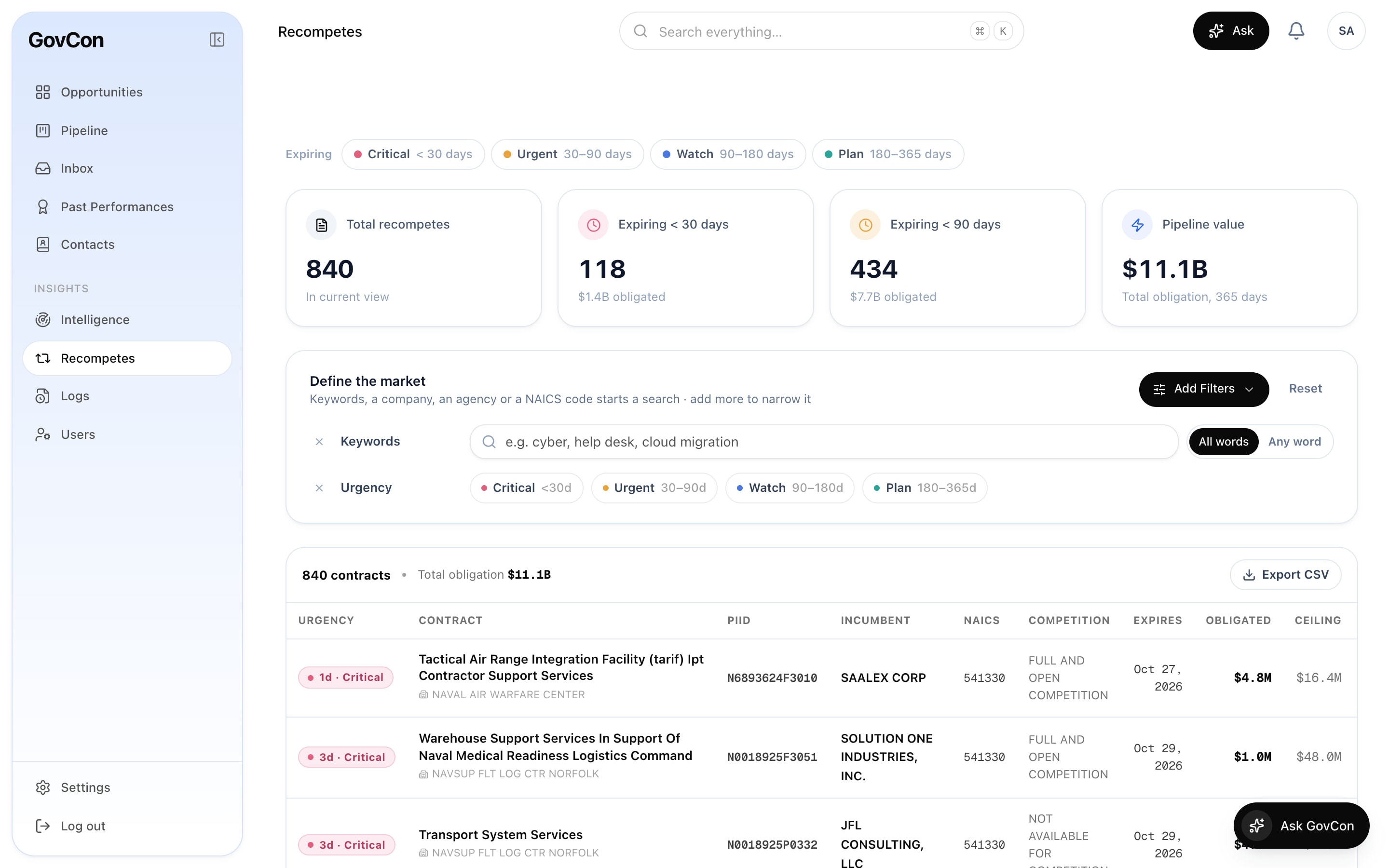
Workspace snapshot · 2 September 2026

Real counts, dated.

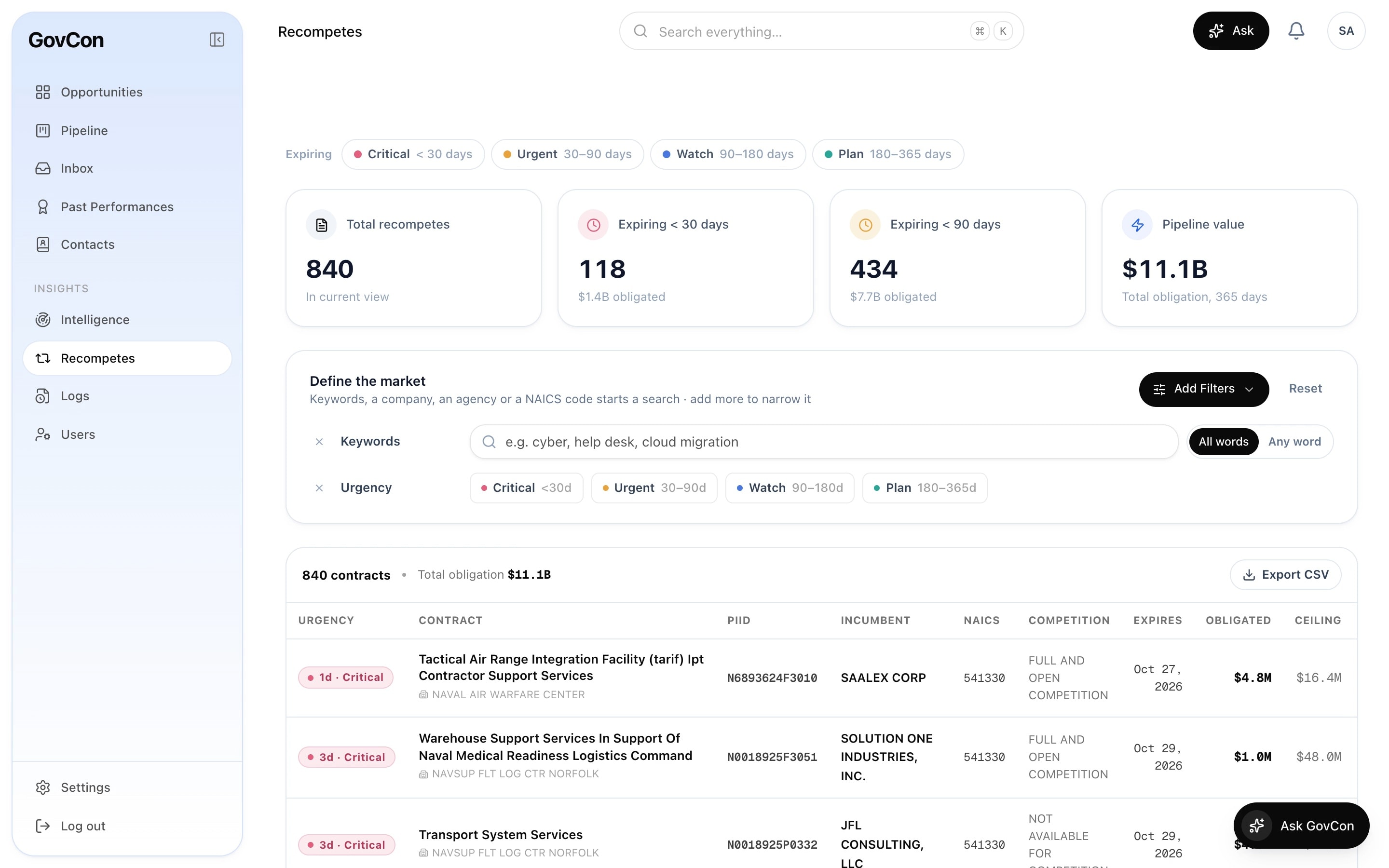
Contract data is synced from USAspending.gov for the Department of the Navy across six IT and engineering NAICS codes. Other markets are added by configuration, not rebuilt.

  • 296

    opportunities tracked

    14 linked datasets each

  • 24,002

    Navy IT & engineering contracts

    FY2016–FY2025

  • $192.8B

    obligated across them

    USAspending.gov

  • 36,260

    subaward records

    who subcontracts to whom

  • 11,604

    companies

    primes and subs

  • 1,347

    recompetes in the next 12 months

    582 critical

Integrations

Works with the stack you already run.

Read-only where it should be. Pipedrive is the one two-way connection, and its write-back is opt-in per person.
  • Pipedrive

    Deals in your BD pipeline sync into opportunities: stage, notes, timeline, assignees and files. Webhooks bring changes in within seconds; a scheduled sync is the safety net.

    Beta: save your own Pipedrive token and your notes, attachments and Resources uploads post to the deal as you. Edits and deletes are mirrored.

  • HigherGov

    Enriches each incumbent by UEI: its SAM and DSBS profile and certifications, plus the contract vehicles it holds, with period-of-performance and ordering-period dates.

    It all lands in the capture document’s incumbent section.

  • GovWin IQ

    Opportunities and fourteen linked datasets, under your own licence. Changes are flagged.

    Opportunities module
  • USAspending.gov

    The public award record for your market: incumbents, obligations, subawards.

    Competitive Landscape module
  • Wiza

    Email and mobile on request, cached so you never pay twice for a person.

    Contacts module
  • Microsoft 365

    Your vehicle-portal mailbox, read-only. Emails are grouped by procurement and posted to their opportunity.

  • Microsoft Azure

    U.S. regions. Documents in Blob Storage, behind links that expire in 30 minutes.

  • Claude

    Runs the assistant, grounded in each pursuit’s documents and citing the page.

    Assistant module

Hover, focus or tap a tile for what GovCon does with it.

By role

One record, every seat on the capture team.

Your whole team works from the same page. Each seat starts from the part it needs.

Before and after

What changes.

  • Who holds the contract today

    The old way
    Someone remembers, or nobody knows
    With GovCon
    Incumbent, obligations, expiry — from the federal record
  • Can we do this work?

    The old way
    “We do that”
    With GovCon
    1–5 per requirement, citing the project and the clause
  • The capture plan

    The old way
    Spreadsheet + shared drive + email
    With GovCon
    One document, 13 sections, completion tracked, team inside it
  • The bid decision

    The old way
    Made in a meeting, undocumented
    With GovCon
    Gate review by a named role, timestamped
What’s new

Shipped this month.

Recent releases to the product, straight from the changelog.
  1. AI

    Connect Claude and ChatGPT

    Bring your GovCon pipeline into Claude or ChatGPT over MCP: ask about opportunities, documents and capture records in plain words, read-only, with the same access you have in GovCon.

    Connect Claude and ChatGPT
  2. Notes

    Edit notes and attachments

    Notes & Timeline entries and their files can now be edited or deleted, and assignees hear about new Pipedrive notes and email updates.

  3. Integrations

    Pipedrive, both ways

    Per-user write-back to Pipedrive, with real-time webhooks keeping both sides in step.

  4. Inbox

    Vehicle-portal inbox

    Contract-vehicle emails are grouped by procurement and posted to the right opportunity as government updates.

  5. Pipeline

    Gate requests need approval

    A pursuit can’t move past Qualification until its gate review request is approved.

  6. Capability matrix

    Matrix change alerts

    New documents on a locked capability matrix are flagged with their likely impact, and the team is alerted.

Security and control

Written to clear an IT review.

Hosting, access, and the AI boundary stated plainly — no badges standing in for answers.
  • Hosting

    Microsoft Azure, U.S. regions

  • Access

    Three roles, seventeen permissions

  • Sessions

    Every device, listed and revocable

  • Data

    Your documents never train a model

  • Audit

    Sign-ins and stage moves are logged

  • Sources

    Read-only where it should be

Pricing

Priced by seat, per year.

Every plan reads the same federal record. What changes is how much of the capture workflow comes with it.

Track

For a team that wants to stop losing pursuits in a spreadsheet.

Quote on the call

  • Every pursuit imported from GovWin by ID, with fourteen linked datasets attached
  • Re-checked against GovWin, with the changed fields flagged
  • Eight-stage pipeline with the gate review between Qualification and Capture
  • Notes, files and stage history on one feed per pursuit
Most teams start here

Capture

For the team that has to answer “can we win this?” with evidence.

Quote on the call

Everything in Track, plus:

  • Capability matrix — every requirement read verbatim and scored 1 to 5 against your own past performance
  • Capture document: thirteen lettered sections, live co-editing, comments and @mentions
  • P-Win scorecard across twenty-one weighted factors
  • Recompete radar and the competitive landscape for your market
  • The assistant, grounded in each pursuit’s own documents

Enterprise

For a business development organisation that needs control and an audit trail.

Quote on the call

Everything in Capture, plus:

  • Three roles and seventeen permissions, set per user
  • Sign-ins, role changes and pipeline moves written to an audit log
  • Every device listed and revocable, with an alert on a new sign-in
  • Additional markets configured beyond Navy IT and engineering
  • Onboarding run against your own past-performance library
Your quote depends on team size and the markets you cover. We confirm it on the call.

Not sure which one?

Bring one solicitation to a working session. In forty-five minutes you will see your own pursuit scored, and we will tell you which plan it needs.

Book a working session
Questions

What people ask first.

Short answers here. The playbook has the long ones, screen by screen.

Still have a question? Book a working session

Bring one solicitation. Leave with a capture record.

In forty-five minutes we import the pursuit from GovWin, pull the incumbent’s award history from USAspending, and run the capability matrix against your past performance. You keep the record either way.

  • GovWin under your own licence
  • USAspending needs no account
  • Nothing you upload trains a model