Eight stages. One gate. Every move timestamped.
Drag a pursuit through the stages, but nothing enters Capture until someone with gate authority says so — and every stage entry is written down with the date.
Eight stages, one decision point
For seeing everything at once and stopping the wrong bids.
The Pipeline is a board with a column for each of the eight stages a pursuit passes through, from Identification to the outcome. Between Qualification and Capture sits the gate review: a formal yes or no before a pursuit is allowed to consume proposal resources.
Everyone on the team uses the board to see what is where. Moving a card needs the pipeline permission; approving the gate needs gate authority — admins by default, or anyone granted the gate-review permission.
It replaces the status column in a spreadsheet and the weekly meeting where someone asks “where are we on that one?”.
Pipeline & Gate, step by step.
Step 1: See every pursuit at once
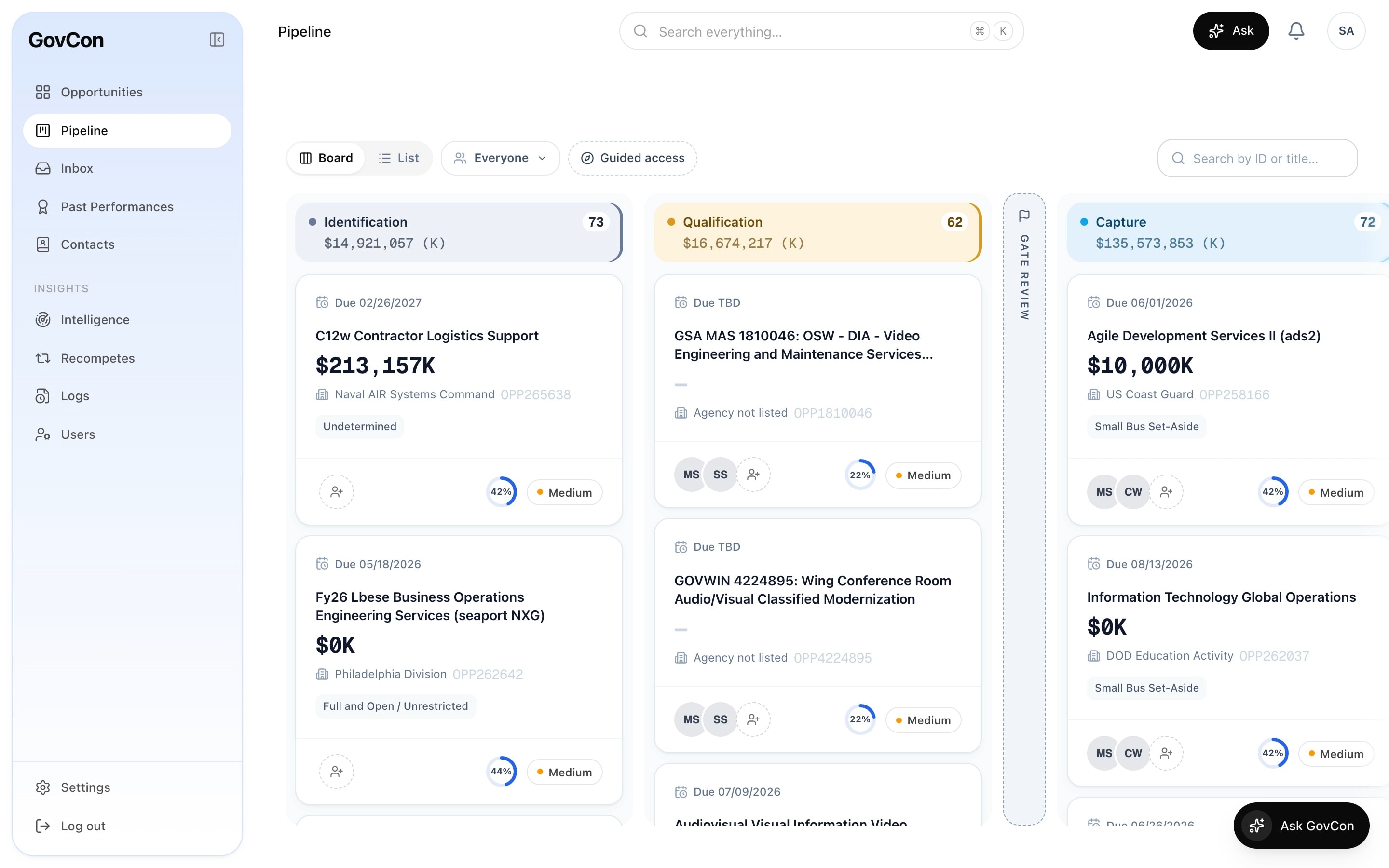
Eight columns — Identification, Qualification, Capture, Proposal, Pending Award, Awarded, Lost, Not Submitted — each with the total estimated value of the cards in it. A card shows the title, the GovWin ID, a date, capture completion, who is assigned and the priority. The gate-review lane sits between Qualification and Capture.
Screenshot: Pipeline board: Identification, Qualification, a Gate review lane, Capture and Proposal columns with cards showing GovWin ID, date, completion, assignees and priority.
Step 2: Drag to move
Drag a card to a new column, or change the stage from a dropdown in list view or from the opportunity page itself. Each move is written to the stage history with a timestamp, and a pipeline notification goes out.
Step 3: The gate holds
Moving a card into Capture, or past it, marks it Pending review unless the person moving it has gate authority. Approve gate, pressed by someone who does, clears it. Moving a card back before Capture clears the flag too.
Step 4: Through to the outcome
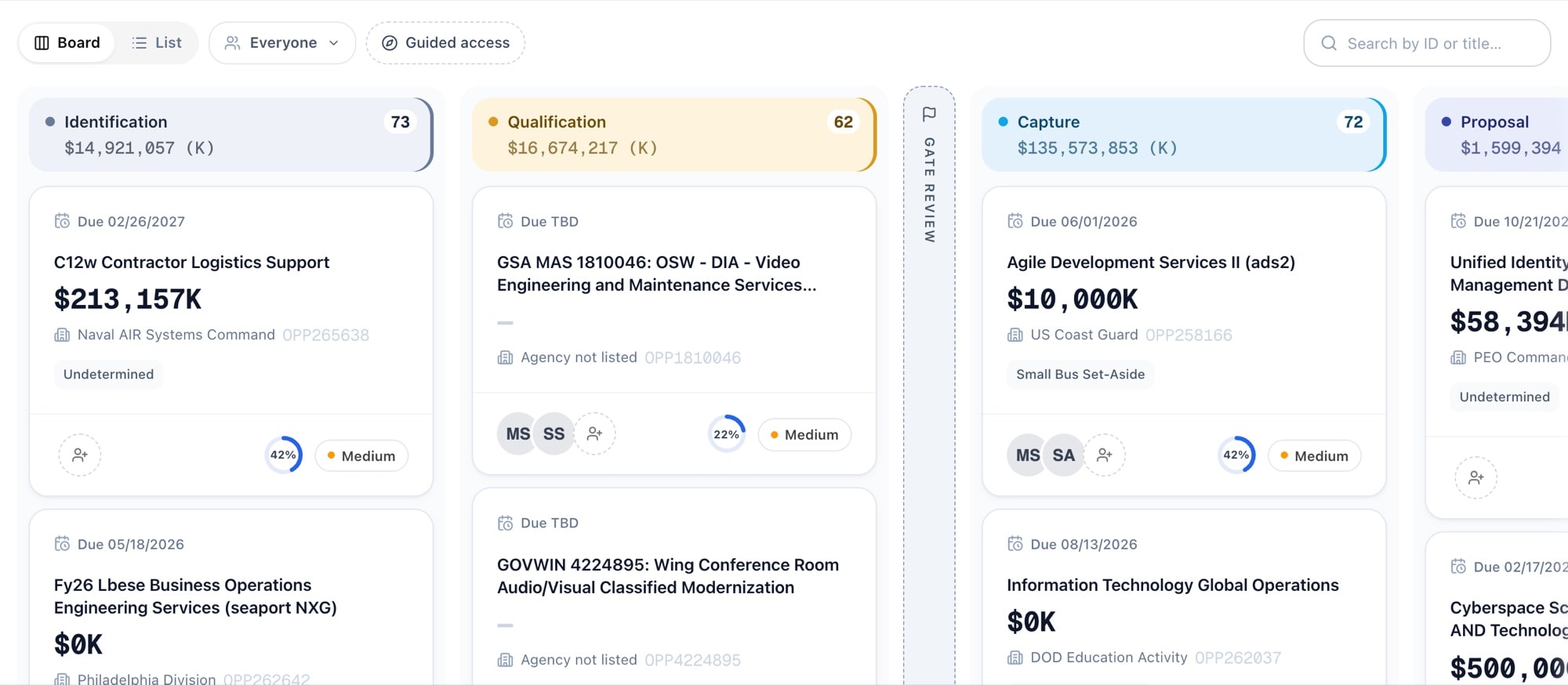
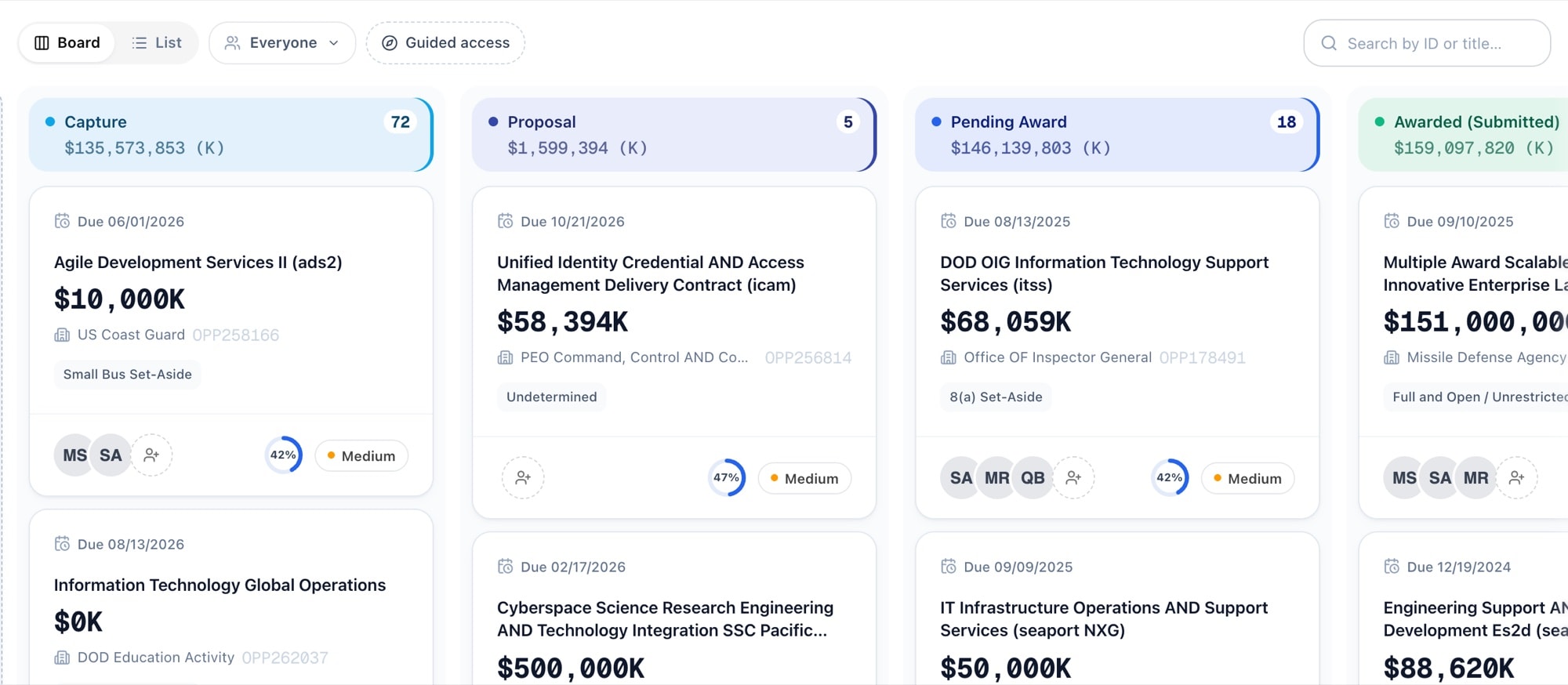
Proposal, Pending Award and the three closing stages — Awarded, Lost and Not Submitted — keep the record of what happened, so the board is also the history.
Screenshot: Pipeline board scrolled to the Capture, Proposal, Pending Award and Awarded columns.
Step 5: Sort it your way
Switch to list view to sort by title, GovWin ID, stage, date, progress, assignees or priority. Set priority Low, Medium or High and add or remove assignees inline. Admins can filter by owner. A guided tour walks new users through the board.
Step 6: Count the days
On the opportunity’s Notes & Timeline tab, a pipeline timeline shows the days spent in each stage as a bar, with the current stage marked.
The specifics.
Eight stages, in order: Identification → Qualification → Capture → Proposal → Pending Award → Awarded (Submitted) / Lost (Submitted) / Not Submitted.
Gate review sits between Qualification and Capture. Entering Capture or any later stage without gate authority sets Pending review.
Gate authority: admins and super admins by default, plus anyone granted the gate-review permission.
Every stage entry is timestamped in the stage history; days per stage are computed from it.
Priorities: Low, Medium, High. A pursuit can have several assignees.
Stage moves and assignments raise in-app notifications; an assignment also sends an email immediately if the assignee has assignment emails switched on.
Moving cards needs the pipeline-move permission; approving the gate needs the gate-review permission — two of seventeen per-user flags.
Stage moves appear in the activity log for anyone with the logs permission.
Data behind Pipeline & Gate
- Source 01
- Your team’s own stage moves, priorities and assignments
- Source 02
- Capture completion, from the capture record
- Refresh
- Immediate. A move is timestamped the moment the card lands.
The words, explained.
- Gate review
- A formal yes or no before a pursuit is allowed to consume proposal resources.
- Qualification
- The stage where you decide whether a pursuit is real and worth the effort — the work the gate review judges.
- Capture (stage)
- The stage where the team builds the plan to win — customer, incumbent, competition, solution — before the proposal is written.
- Pending Award
- Proposal submitted; waiting for the government’s decision.
What people ask about Pipeline & Gate.
Short answers here. The playbook has the long ones, screen by screen.
Still have a question? Book a working session
What it works with.
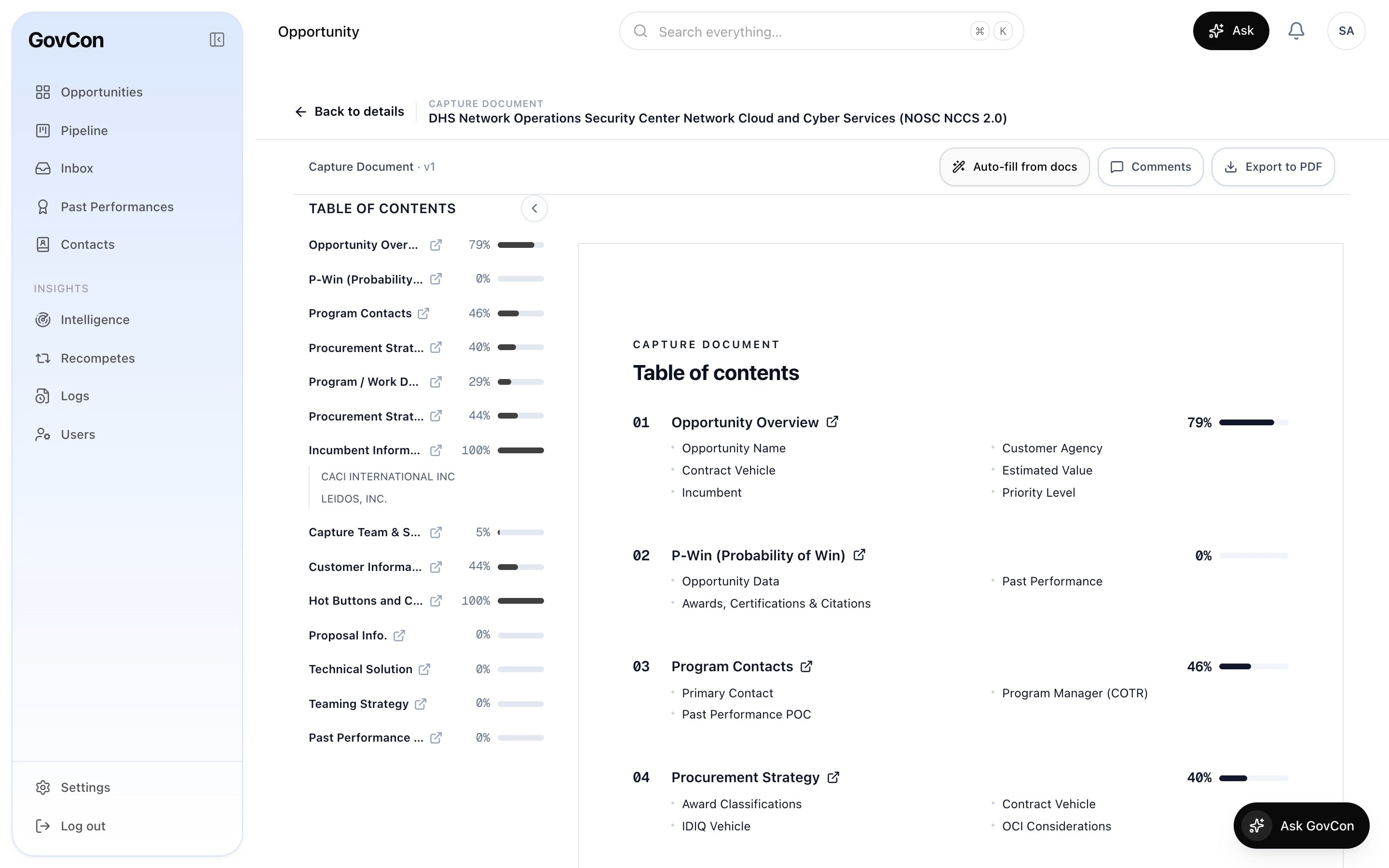
- Capture Document
 05
Capture Document
For turning “we should bid” into a plan.
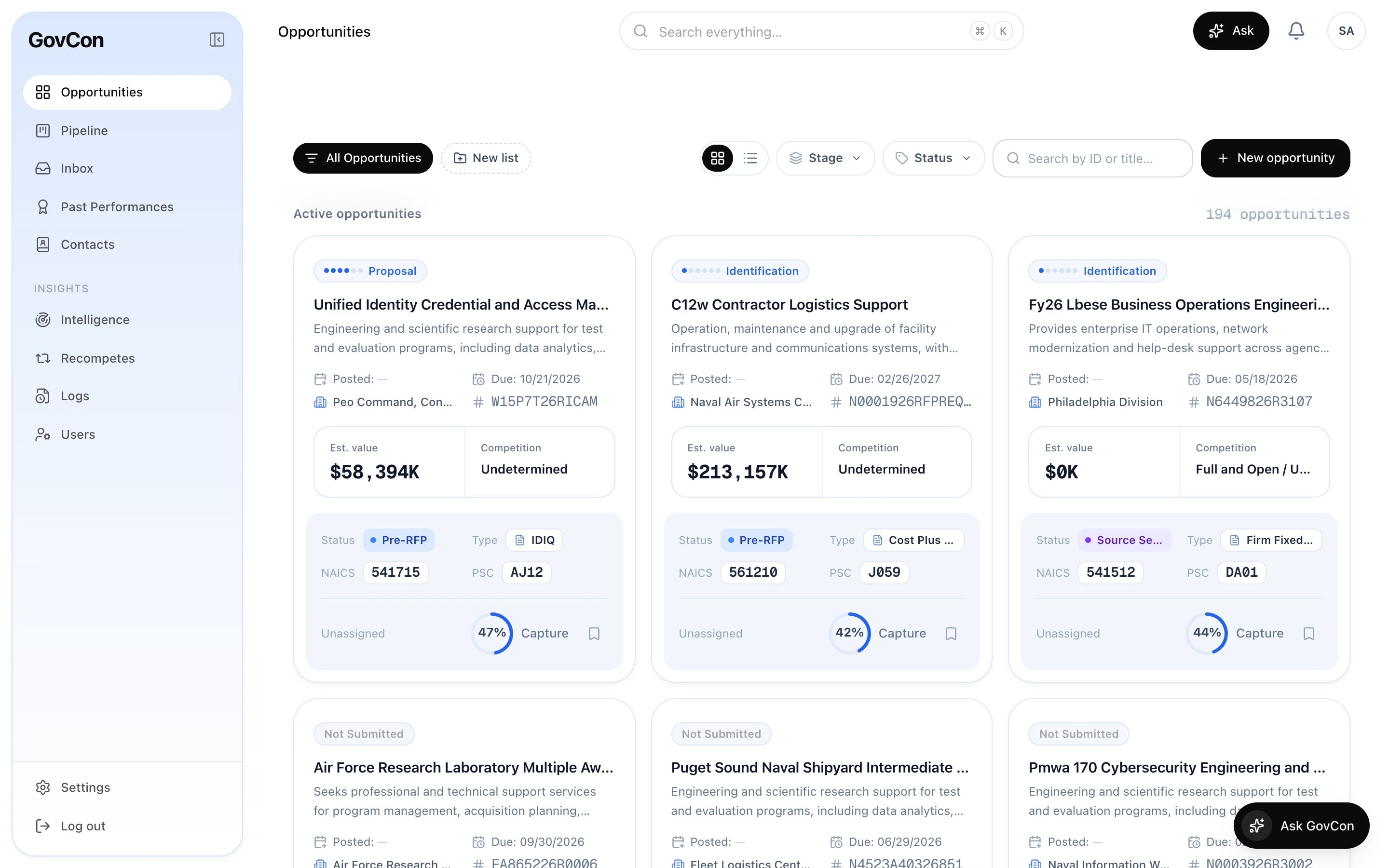
- Opportunities
 01
Opportunities
For keeping track of what you are chasing.
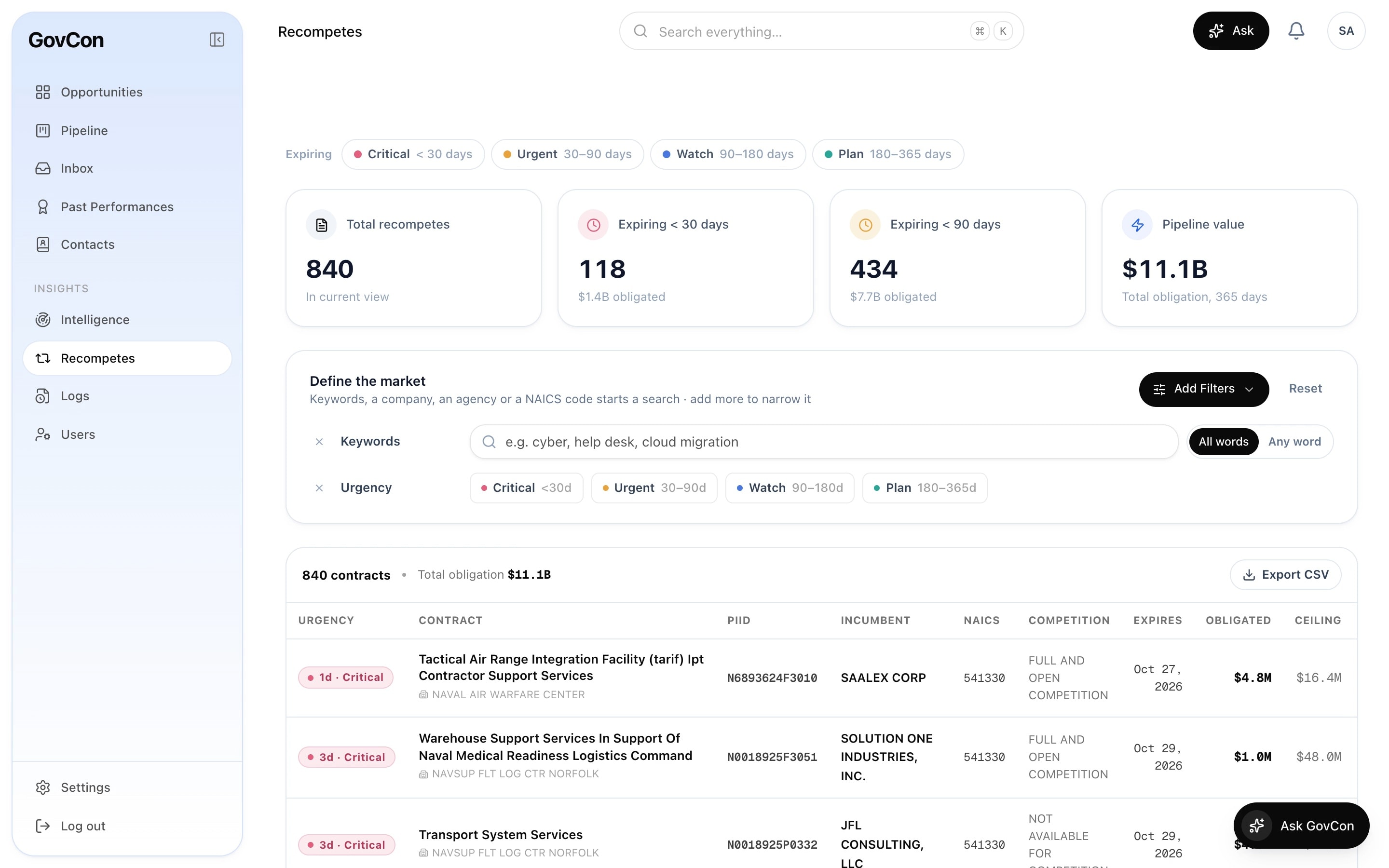
- Recompete Radar
 02
Recompete Radar
For finding work that is about to come back on the market.
Want it walked through on your own pursuit?
Bring one solicitation. In forty-five minutes we import it, pull the incumbent’s award history, and show you Pipeline & Gate working on it. You keep the record either way.
- GovWin under your own licence
- USAspending needs no account
- Nothing you upload trains a model