Your projects, on file. Every rating cites one.
Past Performances is the library of contracts your company has delivered — client, role, dates, value, task areas. The capability matrix scores every requirement against it, so a rating is only ever as good as what is here.
The projects your fit is scored against
For keeping your own contract history where the matrix can read it.
Past Performances is the list of your company’s own delivered contracts: title, client, role, contract number and type, period of performance, total value, the contracts point of contact, the work in brief, how it is relevant, and the task areas it covered.
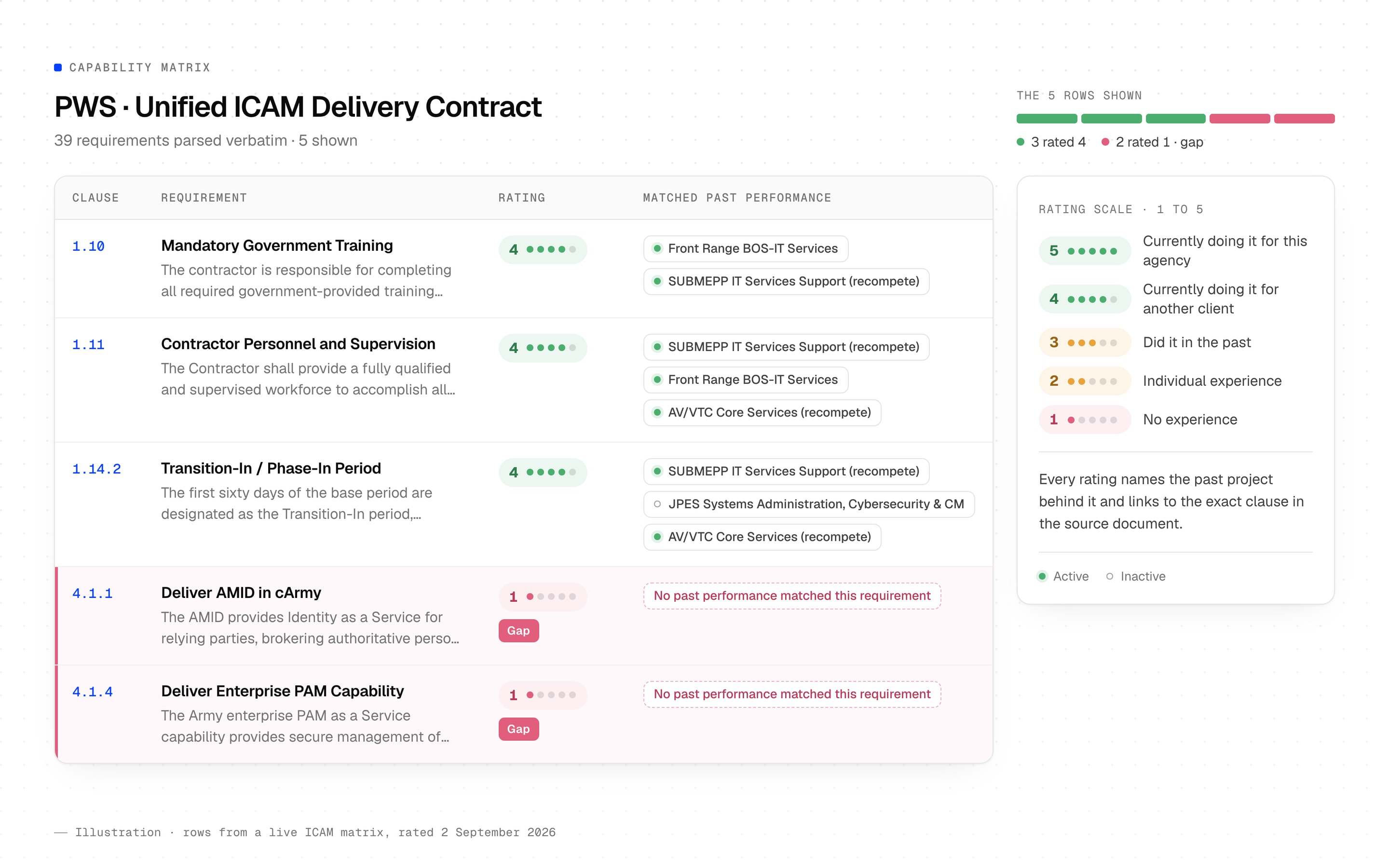
Capture and proposal staff keep it current. The Capability Matrix reads the whole library every time it scores a requirement, and a 4 or 5 rating is impossible without an active project in it.
It replaces the past-performance folder on the shared drive and the write-up someone rebuilds from memory for every proposal.
Past performance library, step by step.
Step 1: Add a project
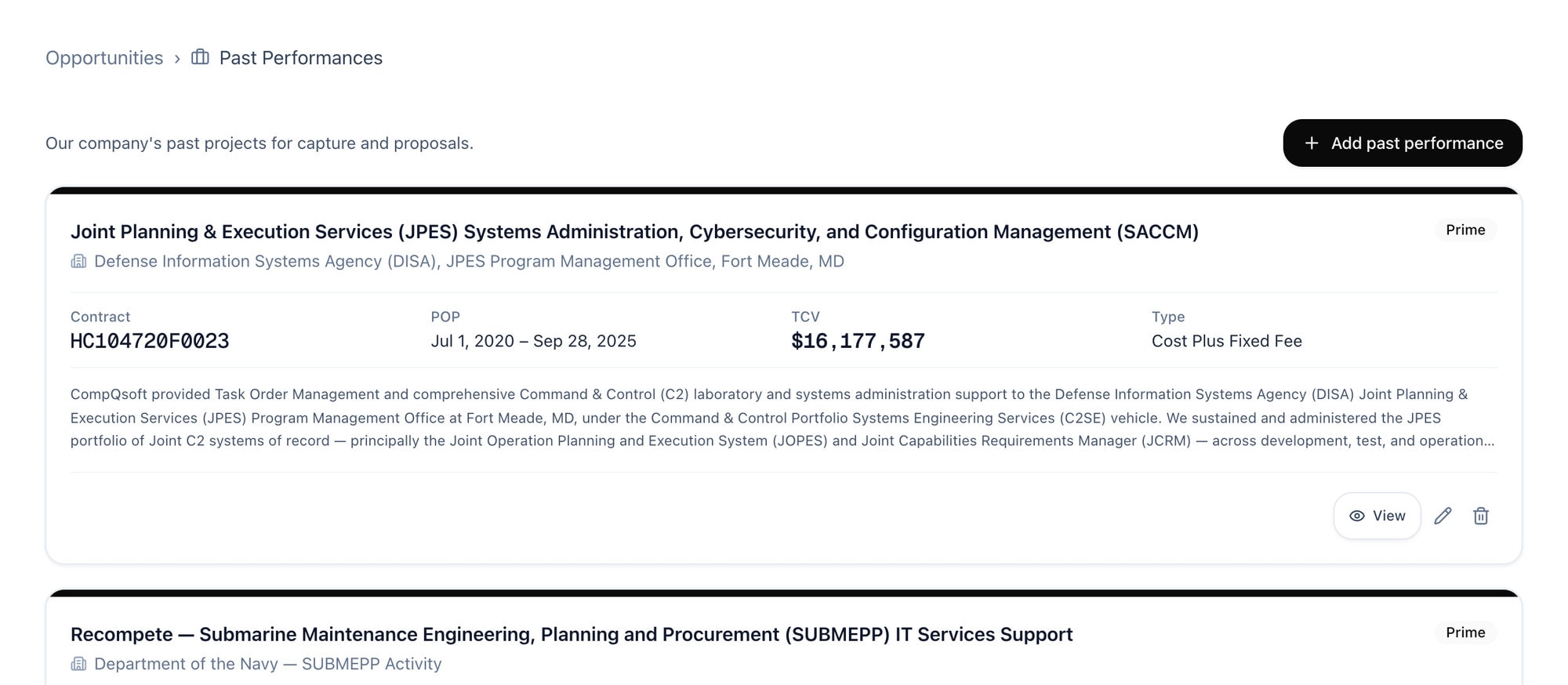
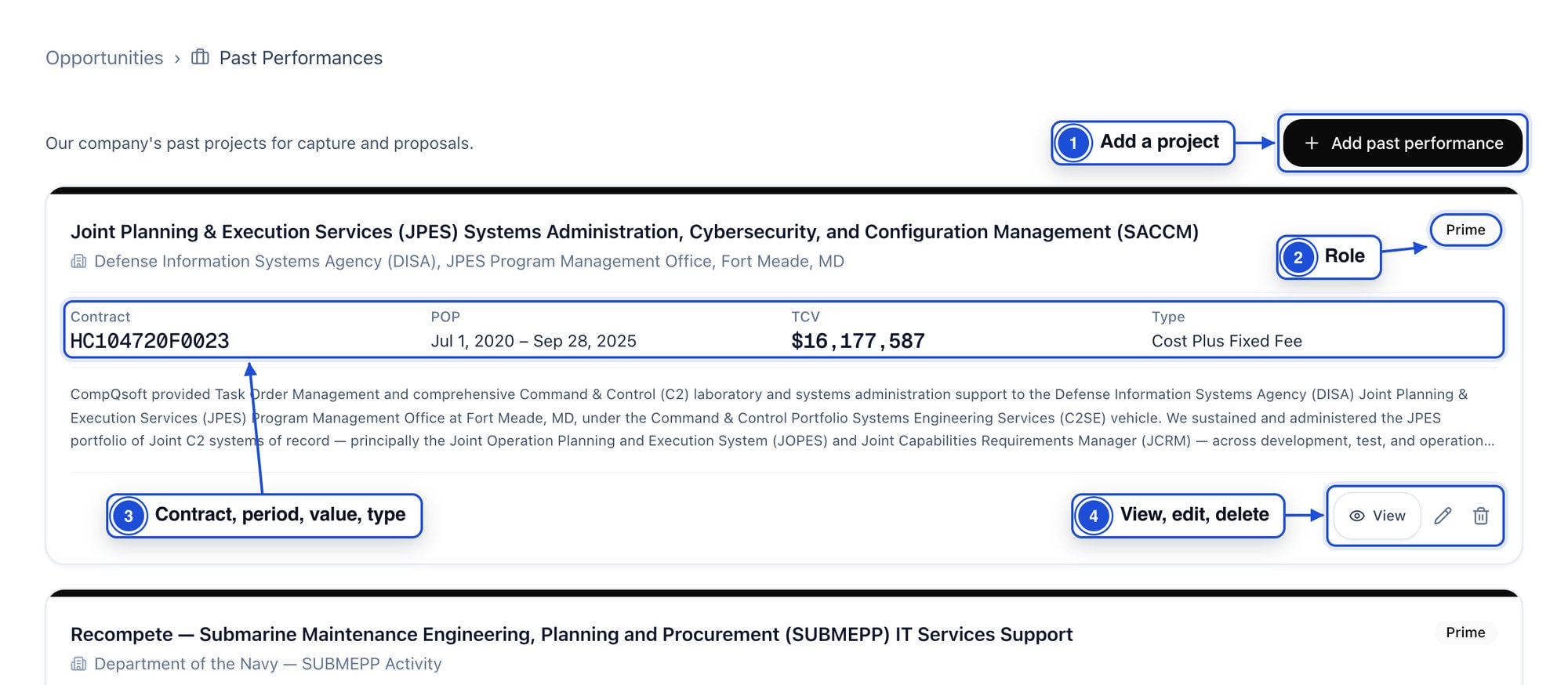
Add past performance opens a form. Title, client, role, contract number, contract type, a brief description, the period-of-performance dates and the total contract value are required; the NAICS code, the contracts point of contact, relevancy notes and task areas are optional. Each card on the list shows the essentials, with View, edit and delete.
Screenshot: The Past Performances list: an Add past performance button and a project card showing the role, contract number, period of performance, total contract value and contract type.
Step 2: Describe the relevance
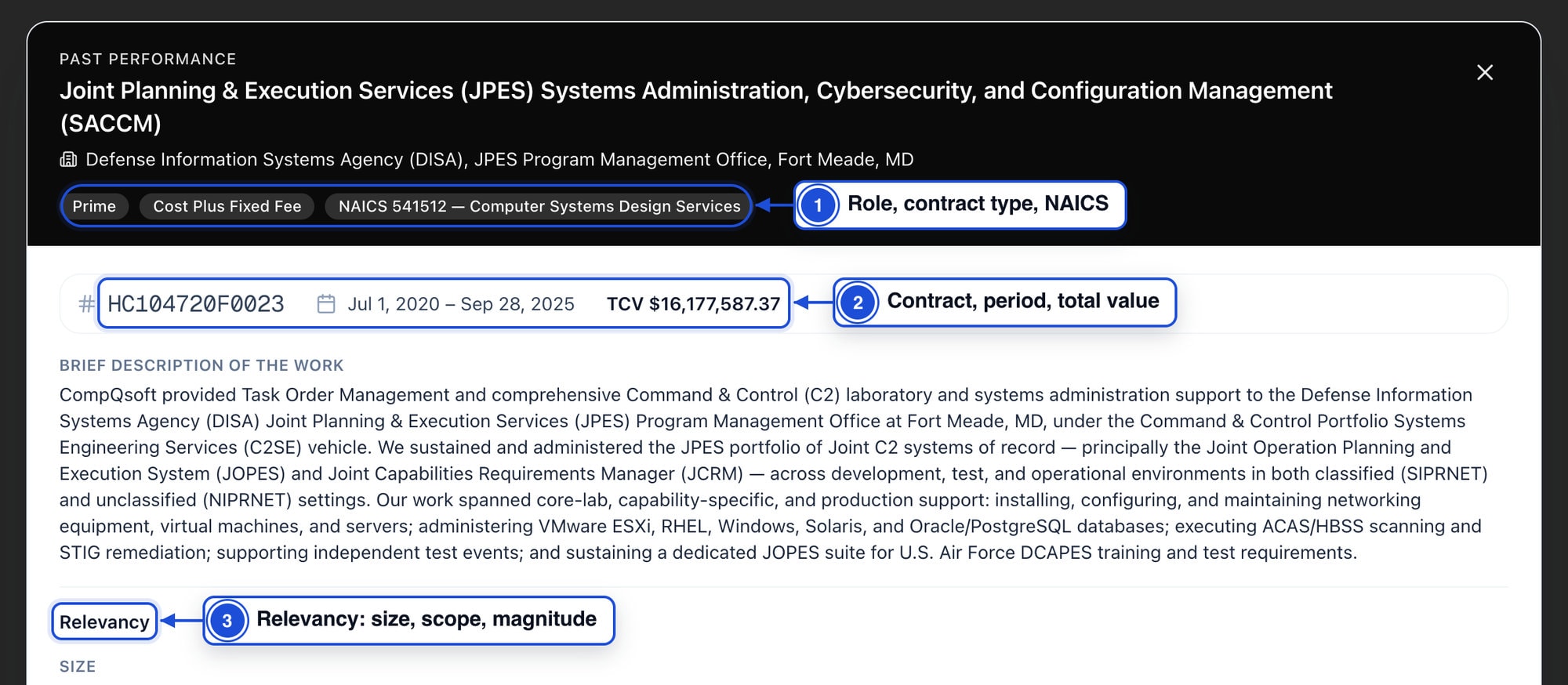
Open a project to read it the way an evaluator would: chips for role, contract type and NAICS, the contract number, period and value, the brief description, and Relevancy — size, scope, scope areas and magnitude.
Screenshot: A past-performance record opened: role, contract type and NAICS chips, the contract number, period and total value, the brief description and the Relevancy section.
Step 3: Break the work into task areas
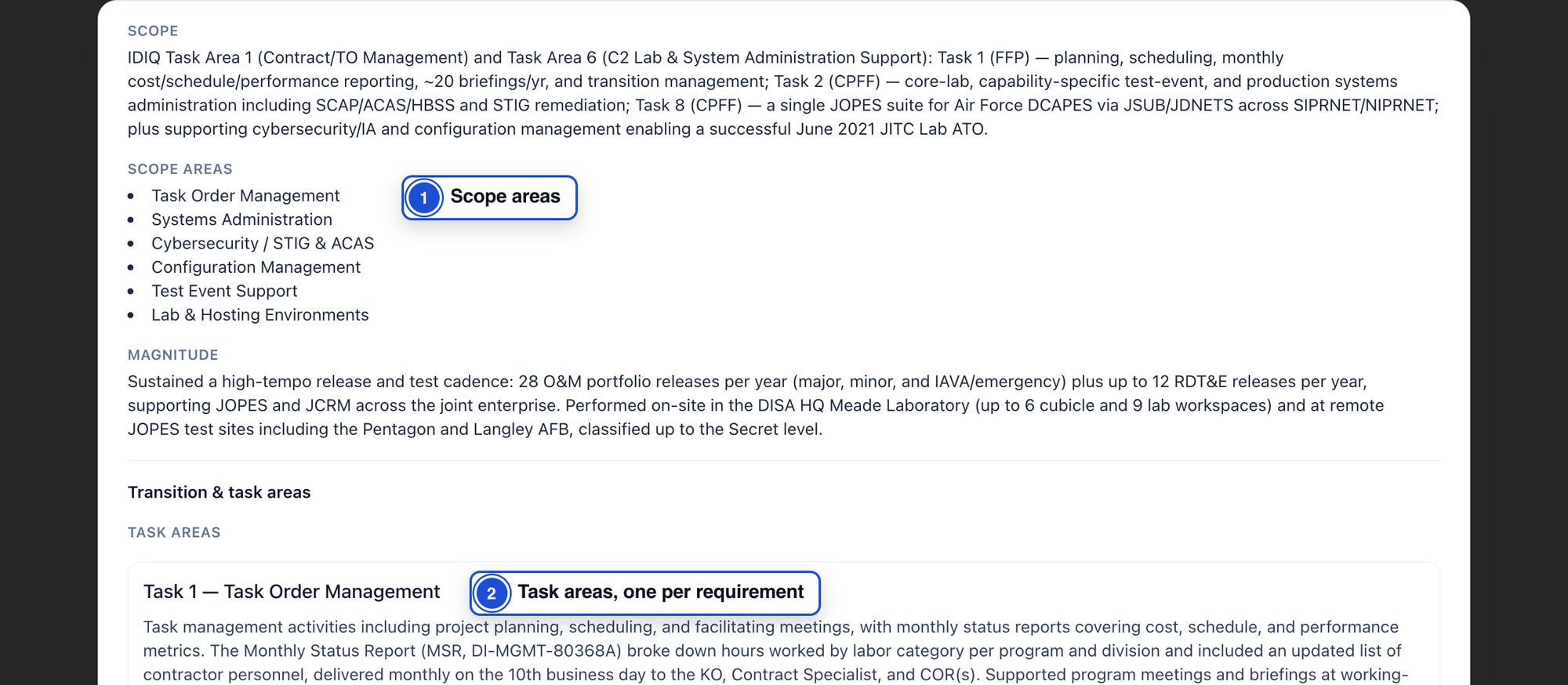
Transition-in, the task areas one by one with what was done under each, and transition-out. These are the lines the matrix matches requirements against.
Screenshot: The scope areas, magnitude and task areas of a past-performance record.
Step 4: Let the matrix read it
When you score a capability matrix, every project in the library is sent with each batch of requirements. A requirement gets a 4 or 5 only if a project whose period of performance has not ended supports it; a 5 also needs that project’s client to be the target agency. The matched projects are shown beside every rating.
The specifics.
Fields: project title, client, role, period of performance (start and end), contract number, contract type, total contract value, contracts point of contact (name, title, phone, e-mail), NAICS, brief description, relevancy (size, scope, scope areas, magnitude), transition-in, task areas, transition-out, and the solicitation number and title it was bid under.
Required to save: title, client, role, contract number, contract type, description, period-of-performance dates and total contract value.
Active or not is computed from the period-of-performance end date each time the matrix runs — nothing to tick.
The whole library is sent with every scoring batch of 40 requirements, up to 120,000 characters of project text.
A 4 or 5 requires an active project; a 5 requires that project’s client to be the target agency. With no matching project a requirement is rated 1 and marked as a gap.
The library is maintained by hand. Nothing is copied into it from USAspending or GovWin.
Anyone signed in to your workspace can add, edit and delete entries; there is no separate permission for the library.
Data behind Past performance library
- Source 01
- Your own contract history, entered and maintained by your team
- Refresh
- Whenever you save. The matrix reads the library at the moment you press Score.
The words, explained.
- Past performance
- Your company’s record of contracts delivered — the evidence a proposal cites and the matrix scores against.
- Period of performance
- The dates a contract ran, start to end. A project whose end date has not passed counts as active.
- Total contract value
- The full value of the award — TCV on the card.
- Task area
- One unit of work under a contract. The matrix matches solicitation requirements against these.
What people ask about Past performance library.
Short answers here. The playbook has the long ones, screen by screen.
Still have a question? Book a working session
What it works with.
- Capability Matrix
 04
Capability Matrix
For answering “can we actually do this?” with evidence.
- Capture Document
 05
Capture Document
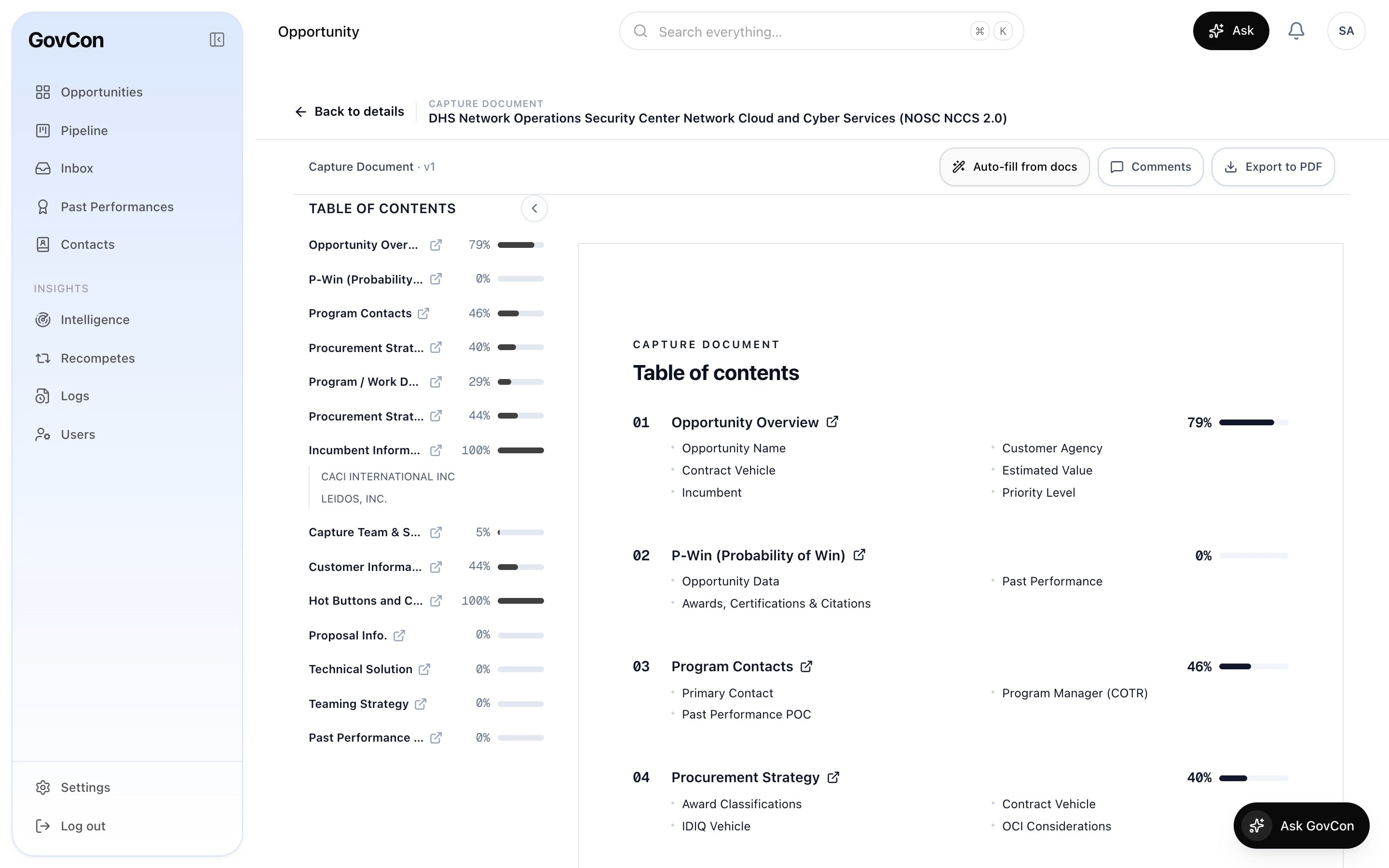
For turning “we should bid” into a plan.
- Exports
 13
Exports
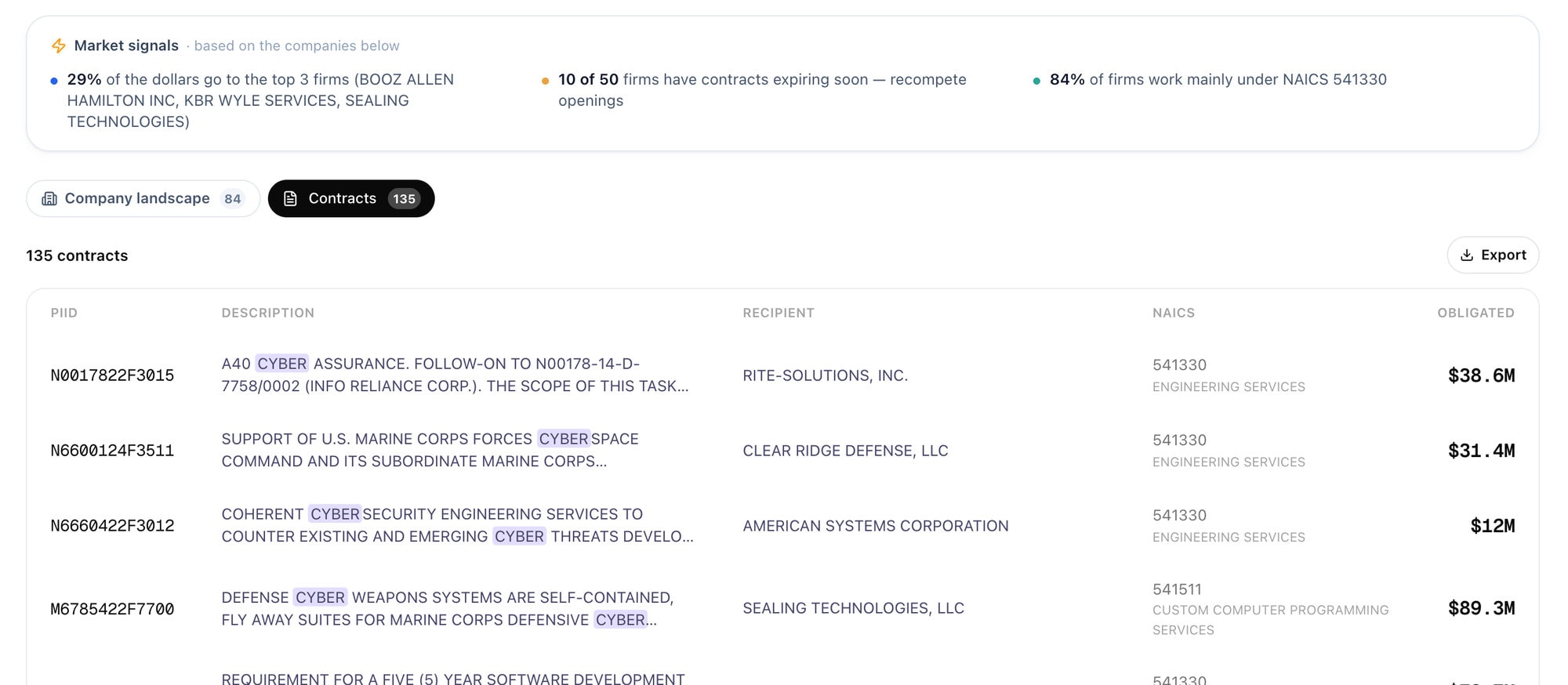
For handing work to people who are not in GovCon.
Want it walked through on your own pursuit?
Bring one solicitation. In forty-five minutes we import it, pull the incumbent’s award history, and show you Past performance library working on it. You keep the record either way.
- GovWin under your own licence
- USAspending needs no account
- Nothing you upload trains a model